Web based School
Chapter 21
Assembling a Game Development Toolkit
CONTENTS
- The Importance of Tools
- Content Tools
- Java Developer's Kit
- Integrated Development Environments
- Sun's Java Workshop
- Symantec Café
- Borland C++ 5.0 and Borland's Java Debugger
- Microsoft Jakarta
- Natural Intelligence's Roaster
- Metrowerks CodeWarrior Gold
- Silicon Graphics Cosmo Code
- Java WebIDE
- Symantec Café
- Programming Tools and Technologies
- Summary
- Q&A
- Workshop
- Content Tools
In case you didn't realize it, toChapter is your final lesson! Because it is your last lesson, it only makes sense to cover a topic that will help you as you move on to your own game programming projects. ToChapter's focus is on assembling a Java game development toolkit. Like any craftsman, a Java game programmer needs an easily accessible set of tools that can be used in various situations. ToChapter you learn about some of the major tools out there now, and on the horizon, that will aid you as you begin developing your own Java games.
The Java programming tools market is extremely young and very dynamic. The seemingly limited number of development tools available toChapter could easily double in a matter of months. Although sometimes frustrating, this dynamic is also very exciting, and it ultimately results in stronger technologies for Java developers. The goal of this lesson is to highlight some of the more promising Java development tools and give you a place to begin researching which tools will work best for you.
You learn toChapter that two primary types of tools are necessary for game development: content tools and development tools. You've already seen some content tools throughout the guide, so toChapter's lesson focuses more on development tools.
The following topics are covered in toChapter's lesson:
- The importance of tools
- Content tools
- Java Developer's Kit
- Integrated development environments
- Programming tools and technologies
- Content tools
The Importance of Tools
Back in the early Chapters of Windows programming, I was extremely frustrated by the lack of available development tools. At the time, you had to develop and compile Windows programs from a DOS command line, and then launch Windows to test them. Although I suspected that Windows was here to stay, I refused to take Windows seriously until some decent development tools were available. I simply saw Windows programming as more trouble than it was worth at the time. Fortunately, Windows development tools eventually started to appear, which greatly eased the pain of Windows programming. These Chapters, Windows development tools are extremely advanced and provide a glimpse into the types of Java development tools that will emerge.
In similar ways, Java is going through the same difficulties shared by Windows back in the early Chapters of Windows. Although developing Java applets using the Java Developer's Kit is significantly easier than developing Windows applications using the original Windows Software Development Kit, a lot of improvement could be done when it comes to Java development tools. Fortunately, third-party Java development tools are available toChapter and many more are in the works.
Technically speaking, all that is required to develop Java programs is a text editor, a compiler, and a runtime environment. The Java Developer's Kit (JDK) supplies all of these components. However, saying that these three components are sufficient for Java development is like saying a hammer and a handsaw are sufficient for building a house. Sure, they get the job done, but at what cost to you in terms of time and frustration? In all fairness, the JDK isn't all that bad, but contrast it with the integrated visual programming environments for other languages such as C++ and BASIC and you'll want more.
You might think that programming is programming, and no flashy visual tools are ever going to change that. In a way, you're right. In regard to games especially, your main development efforts will always be spent hacking away at Java code. However, a certain degree of organizational busy work can be reduced or streamlined by integrated development environments. For example, having your source files organized into a project structure is often very useful for managing all your classes and keeping them in perspective. Furthermore, it's hard to argue over the power of using an integrated graphical debugger, which is often indispensable in tracking down hard to find bugs.
The point is that even though I'm not ruling out command-line tools such as the JDK, I encourage you to look into some integrated Java development environments and see whether they might save you some time and trouble. You'll learn about some of these environments throughout the rest of toChapter's lesson. However, before doing that, let's take a look at another type of development tool: content tools.
Content Tools
Content tools consist of the tools necessary to create the content for games. Content includes graphics, sound, music, and any other types of media you plan to integrate into your games. Unlike development tools, content tools are used to create and edit game resources rather than source code. There are two main types of content tools: graphics utilities and sound utilities.
| Note |
Eventually, music utilities could establish themselves as yet another content tool, but currently you have to handle music like normal sampled sounds in Java. In other words, Java music currently must be created using a sound utility. |
You already learned about some useful content tools in earlier lessons dealing with graphics and sound. More specifically, you saw some popular graphics utilities on Chapter 4, "The Basics of Graphics." You learned about some useful sound utilities on Chapter 11, "The Basics of Sound." Refer to these lessons if you operate primarily on short-term memory, like me!
Java Developer's Kit
The Java Developer's Kit (JDK) provides the core tools and documentation necessary for developing Java applets, including games. The JDK is the first thing you should take into consideration when putting together your own Java development toolkit. Although third-party add-ons and development environments promise to make Java development smoother and easier, the JDK provides the essentials. Many third-party development environments require the JDK to operate. Also, the JDK is Sun's official development kit for Java, which means you can always count on it providing the most extensive and up-to-date Java support.
The JDK includes a Java runtime interpreter, a compiler, a debugger, lots of applet demos, and the complete Java API source code, along with a few other useful tools. All the sample code you've seen throughout the guide was developed using only the JDK, so don't underestimate its power and usefulness. Version 1.02 of the JDK is included on the accompanying CD-ROM.
Integrated Development Environments
The development tools provided with the JDK are all command-line tools. Most modern development environments include graphical editors, graphical debuggers, and visual class browsers. These environments are known as integrated development environments (IDEs), because all the disparate development tools are integrated together. Java is too modern a language not to have a modern development interface to match, and Java programmers know this. Fortunately, the software tool developers know this, too. Most of the major players in the development-tool business have announced Java IDEs. A lot of them have already released their products in at least a beta form.
These third-party development environments span different operating systems and range from C/C++ environment add-ons to entirely new products themselves developed in Java. Any of these environments will aid in Java game development and probably save you time in the long run.
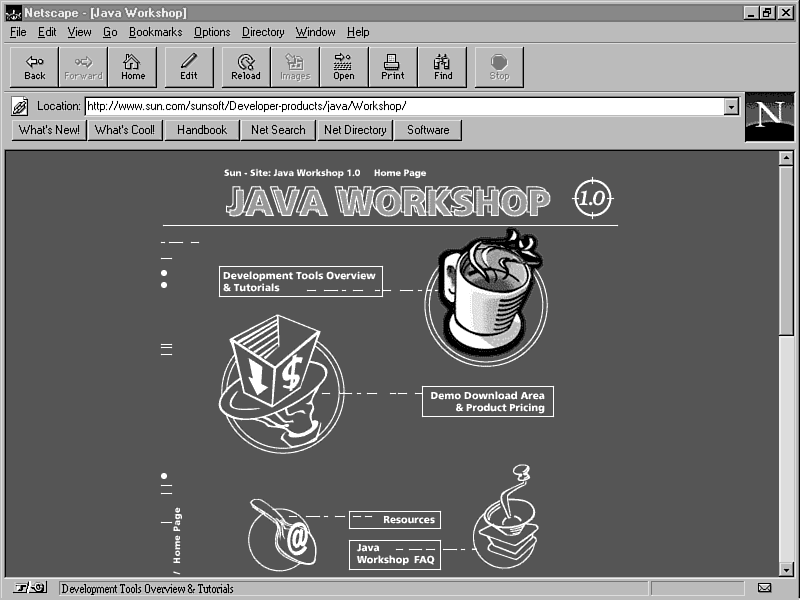
Sun's Java Workshop
Java Workshop, from the creators of Java itself, has the potential to be a very interesting Java development tool. Using a very Web-centric design, Java Workshop is itself implemented using a great deal of HTML for maximum configurability. Sun's Java Workshop is currently available for Solaris and Windows 95/NT systems. The following is a list of the main features provided by Java Workshop:
- Project manager
- Build manager
- Portfolio manager
- Applet viewer
- Source editor
- Source browser
- Integrated debugger
- Online help including Java API
- Build manager
Sun offers a try-and-buy program for Java Workshop in which you can download it and try it out before making the purchase. For more information, check out Sun's Java Workshop Web site, which is located at http://www.sun.com/sunsoft/Developer-products/java/Workshop (see Figure 21.1).
Figure 21.1 : Sun's Java Workshop Web site.
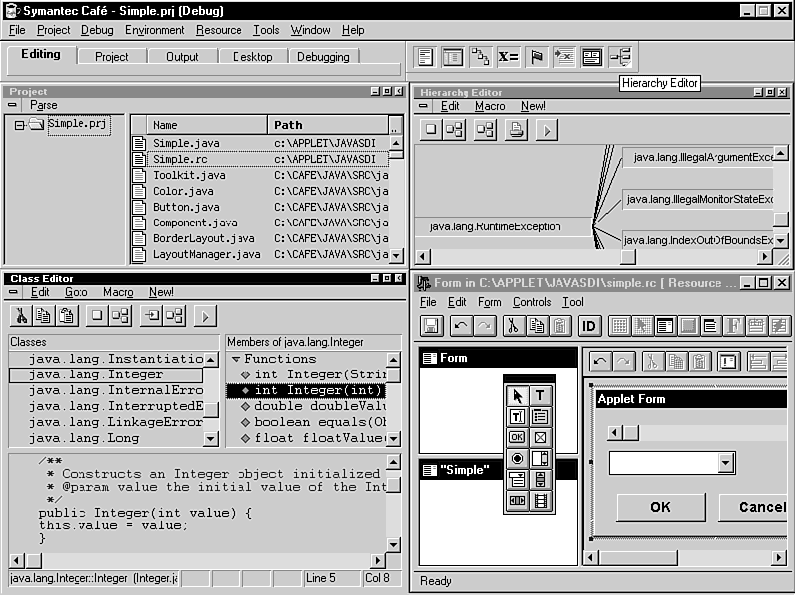
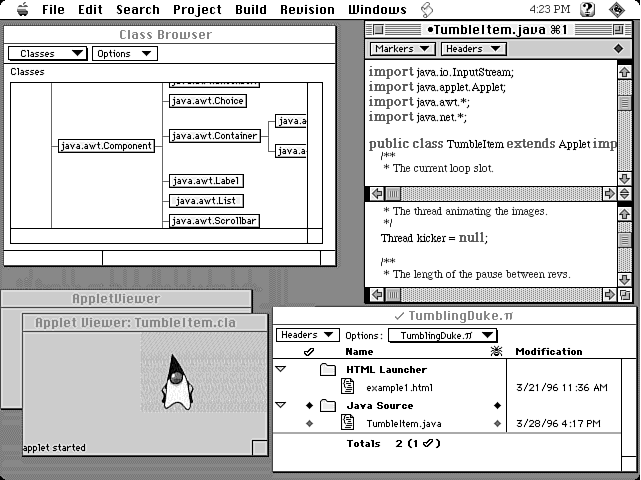
Symantec Café
Symantec is the first major pc tool developer to have a working Java development environment on the market. Symantec Café is a Java development environment based on the Symantec C++ development environment for Windows 95/NT. Café is not, however, limited to the Windows 95/NT platform; Symantec recently released a version for Macintosh. Figures 21.2 and 21.3 show what the Café development environment looks like for Windows and Macintosh.
Figure 21.2 : The Symantec Cafe development environment for Windows 95/NT.
Figure 21.3 : The Symantec Cafe development environment for Macintosh.
The following list gives the main features provided by Symantec Café:
- Project management
- Class editor
- Hierarchy editor
- Visual drag-and-drop design tool
- Integrated debugger
- Source editor
- Faster bytecode compiler
- Faster Java runtime virtual machine
- Agents for automated applet/application creation
- Online help including Java API
- Class editor
Symantec has also released a Just-In-Time (JIT) compiler that integrates into either Café or the standard JDK. Symantec's JIT compiler promises to significantly speed up the execution of Java applets, which is a major issue for game development. You can find out more about Café and the JIT compiler at the Symantec Café Web site, which is located at http://cafe.symantec.com (see Figure 21.4).
Figure 21.4 : The Symantec Cafe Web site.
| Note |
If you happen to already have Symantec C++, you can use Symantec's Java add-on, Espresso, which is specifically designed to add Java functionality to Symantec C++. |
Borland C++ 5.0 and Borland's Java Debugger
Borland, one of the largest development tool makers for the pc, has focused significant efforts toward bringing Java tools to market. Because of the apparent urgency surrounding its internal development efforts, Borland appears to have divided its Java tool offerings across two product lines: Borland C++ 5.0 and Borland Latté.
Borland has decided to make its first commercial Java offering a part of its Borland C++ 5.0 product. Borland C++ has long been a popular C++ compiler for pcs, and it now includes a complete integration of Java tools.
The Borland C++ 5.0 Java development environment includes the following features:
- Project management
- Integrated visual debugger
- Source editor with color syntax highlighting
- Object scripting
- Just-in-time compiler
- Online help including Java API
- Integrated visual debugger
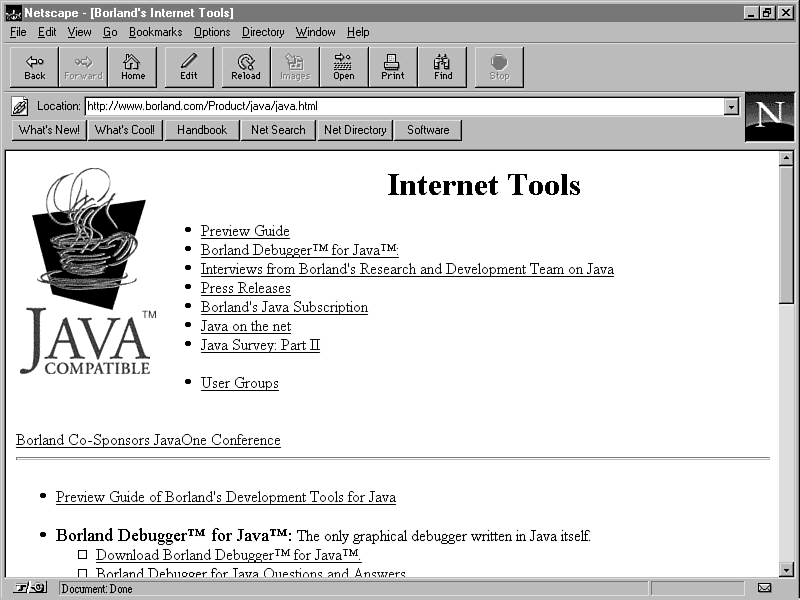
Borland's second wave of Java tools, code named Latté, are themselves being completely developed in Java. Borland's long-term goal appears to be focused on the Latté technology, but Borland C++ 5.0 is a sensible alternative until Latté matures. The first offering of the Latté technology is the Borland Debugger for Java, which is currently in a beta release.
For more information on Borland C++ 5.0 and the Latté technology, check out Borland's Java Web site at http://www.borland.com/Product/java/java.asp (see Figure 21.5).
Figure 21.5 : Borland's Java Web site.
Microsoft Jakarta
Just when everyone thought Microsoft was in too deep with Visual Basic, they turn around and announce plans for their own Java development environment, code named Jakarta. Jakarta is planned as an integration into the already popular Developer Studio product for Windows 95/NT, which encompasses Visual C++, Fortran Powerstation, Visual Test, and the Microsoft Developer Network. It's therefore safe to assume that many of the Jakarta tools will resemble the existing C++ tools included with Visual C++.
| Note |
Having worked extensively with Visual C++ developing Windows 95/NT games in C++, I can attest to its usefulness as a key component in my Windows game development toolkit. Let's hope Jakarta is just as good, or even better. |
Natural Intelligence's Roaster
One of the early entrants into the Macintosh Java development tool market is Natural Intelligence's Roaster. Roaster boasts a wide array of features:
- Project management
- Integrated debugger
- Integrated browser and class tree
- Programming editor
- Faster bytecode compiler
- Class disassembler
- Online help including Java API
- Extensive HTML support
- Integrated debugger
For more information about Roaster, check out Natural Intelligence's Roaster Web site at http://www.natural.com/pages/products/roaster (see Figure 21.6).
Figure 21.6 : Natural Intelligence's Roaster Web site.
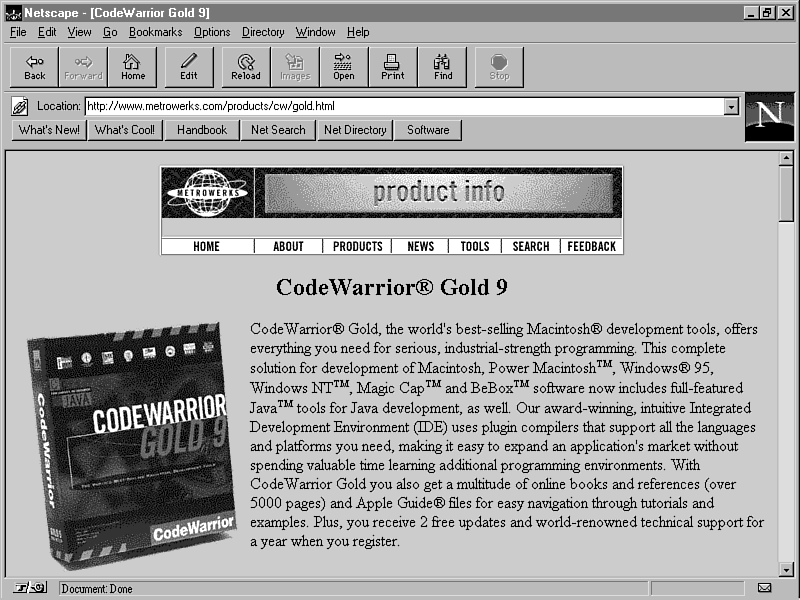
Metrowerks CodeWarrior Gold
Another neat integrated development environment for Macintosh is CodeWarrior Gold, by Metrowerks. CodeWarrior Gold 9 boasts a complete development solution, including support for Java, C/C++, and Object Pascal. As far as Java goes, CodeWarrior Gold sports the following major features:
- Project management
- Integrated debugger
- Class browser
- Programming editor
- Bytecode disassembler
- Online help including Java API
- Integrated debugger
For more information regarding CodeWarrior Gold, check out Metrowerk's CodeWarrior Web site at http://www.metrowerks.com/products/cw/gold.asp (see Figure 21.7).
Figure 21.7 : Metrowerk's CodeWarrior Gold Web site.
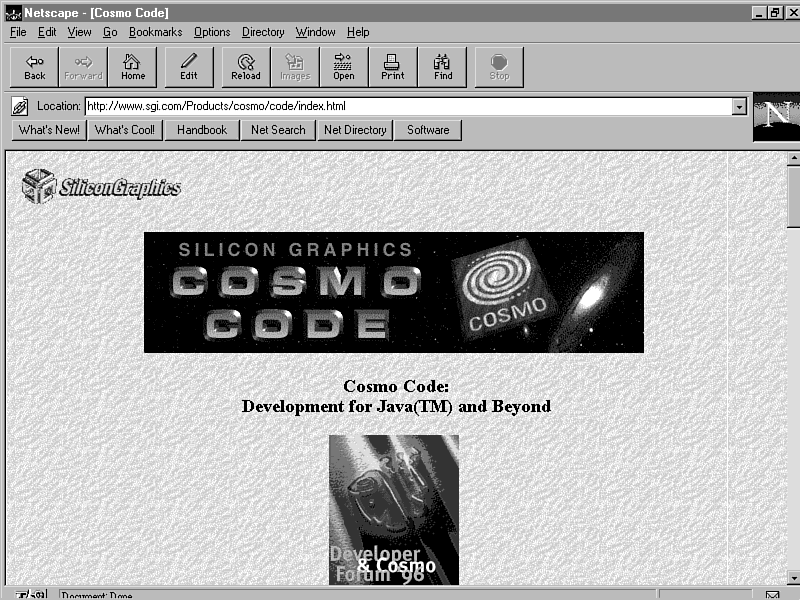
Silicon Graphics Cosmo Code
One of the most powerful Java development environments to come out thus far is Cosmo Code by Silicon Graphics, which is a component of the larger Cosmo Web development system. Cosmo itself is aimed at providing more extensive multimedia and 3D graphics support for the Web. Cosmo Code is the primary development component of Cosmo and is currently available for Irix systems. Cosmo Code contains the following major features:
- Project management
- Graphical debugger
- Visual source browser
- Programming editor
- Cosmo Multimedia Libraries
- Graphical debugger
To find out the latest information about Cosmo Code or to download a copy to try out, go to the Cosmo Web site at http://www.sgi.com/Products/cosmo/code (see Figure 21.8).
Figure 21.8 : Silicon Graphics Cosmo Code Web site.
Java WebIDE
The last integrated development environment is probably the most interesting, simply because it is integrated into the Web itself. The Java WebIDE Web site, by Chami Wickremasinghe, is itself a development environment, operating solely on Web pages and embedded Javascript. Although not up to par with many of the features found in the environments previously mentioned, Java WebIDE is nevertheless useful in its own right. The following are a few of the features in Java WebIDE:
- Source editing and compiling
- Syntax highlighting
- Java API searching
- Syntax highlighting
To try out Java WebIDE, head over to its Web site at http://www.chamisplace.com/prog/javaide (see Figure 21.9).
Figure 21.9 : The Java WebIDE Web site.
Programming Tools and Technologies
After you've settled on an IDE (if you decide to use one at all), you will probably want to keep an eye open for programming tools and emerging technologies to find other ways to enhance your development toolkit. The current offerings of Java-related programming tools are still fairly slim, but expect new ones to appear rapidly.
Keep in mind that new technologies will no doubt emerge that are built on top of, or that integrate with, Java. You might find that you can leverage the usage of some of these technologies to enhance and streamline your game development efforts. In the world of Java game programming, as in most areas of software development, the programmer who can leverage technological advances and reuse the most code usually wins. Let's take a look at a few programming tools and technologies.
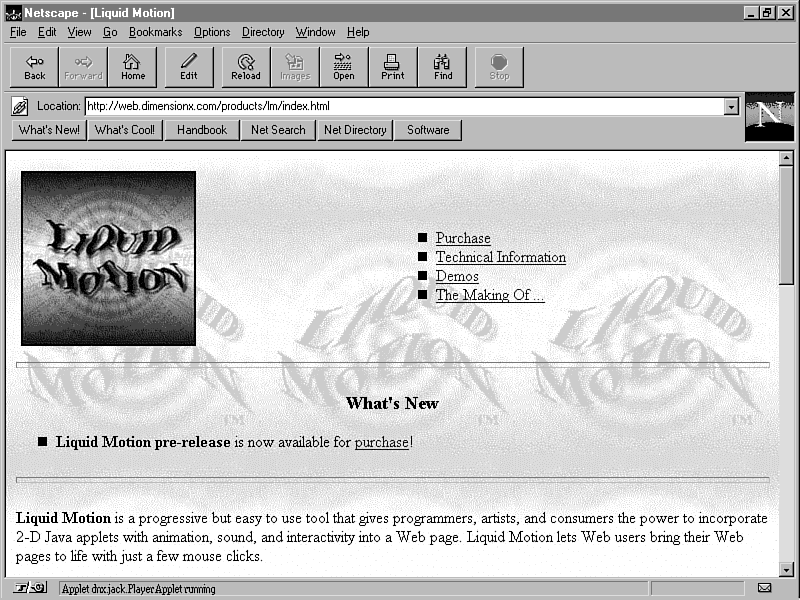
Liquid Motion
Liquid Motion, by Dimension X, is a tool that enables you to graphically generate 2D Java animations. You animate objects by graphically drawing a path of motion, allowing Liquid Motion to handle the details of actually animating the object. Liquid Motion sports the following major features:
- Sequence sprites and audio clips
- Control motion path of objects
- Select from various motions and animation speeds
- Create events for user interaction
- Motion Engine API
- Control motion path of objects
To find out more about Liquid Motion, check out the Liquid Motion Web site at http://web.dimensionx.com/products/lm (see Figure 21.10).
Figure 21.10 : The Liquid Motion Web site.
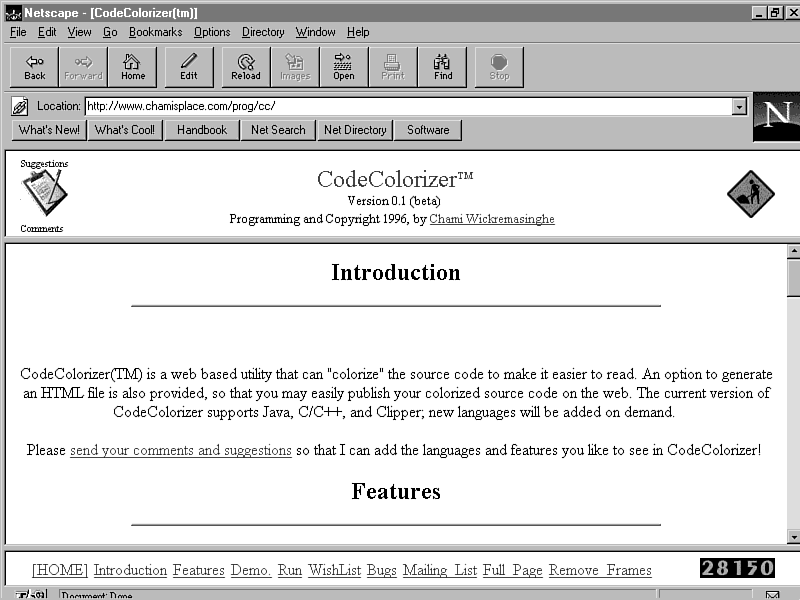
CodeColorizer
CodeColorizer, also by Chami Wickremasinghe, is a Web-based tool used to colorize Java source code. This process, also known as syntax highlighting, can be useful in deciphering code. You could use CodeColorizer to colorize your own code or, even better, use it on someone else's code to aid you in figuring out how it works. To try out CodeColorizer, go to the CodeColorizer Web site at http://www.chamisplace.com/prog/cc (see Figure 21.11).
Figure 21.11 : The CodeColorizer Web site.
| Note |
Most of the third-party Java integrated development environments provide a code colorization feature. However, you still might find the CodeColorizer useful if you are solely using the JDK. |
ActiveX
If you haven't heard of ActiveX yet, don't worry, you will. I know, I'm starting to sound like an AT&T commercial, but ActiveX really is a technology that has the potential to shake up the Web. ActiveX, by Microsoft, is a technology that defines controls (objects) that can be inserted into Web pages to add functionality. Sounds a lot like Java, right? ActiveX controls are in fact a lot like Java applets, the major difference being that ActiveX controls can be integrated into applications developed using various other environments such as Visual C++, Visual Basic, and Borland's Delphi.
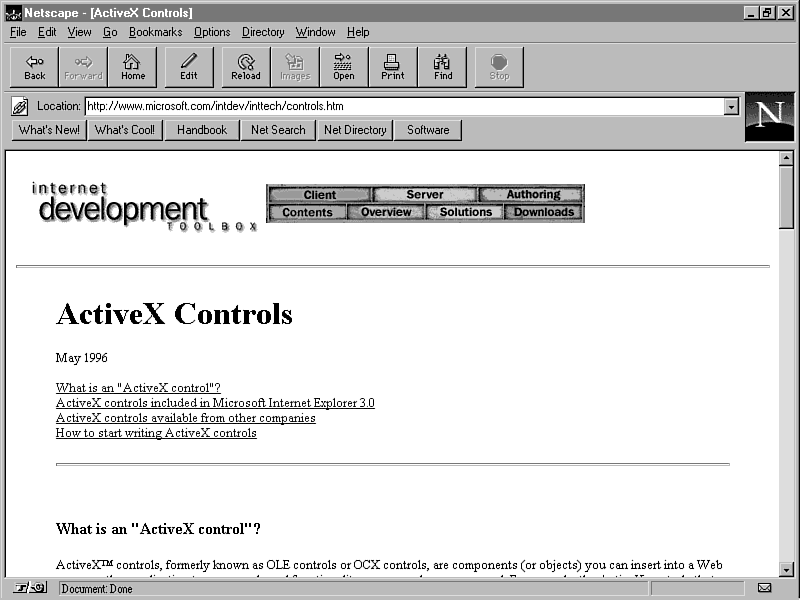
ActiveX is not meant to replace Java; rather, expect ActiveX controls to coexist comfortably with Java and possibly even merge with Java applets in some respects. It's not yet clear what effect ActiveX will have on Java game programming, but it is an exciting enough technology that you should keep an eye on it. To find out more about ActiveX, visit Microsoft's ActiveX Web site at http://www.microsoft.com/intdev/inttech/controls.asp (see Figure 21.12).
Figure 21.12 : Microsoft's ActiveX Web site.
Summary
ToChapter's lesson presented you with a suitable ending to your three-week journey through Java game development: assembling a Java game programming toolkit. You started off learning about the different kinds of tools suited to the various aspects of game development. You then moved on to learning about each type of tool in detail, focusing on specific software products along the way. Although this lesson might have appeared almost like an advertisement, it was really only meant to show you what is out there in the way of Java game development tools. It's now up to you to pick and choose which ones best suit your needs.
This lesson marks the last Chapter of your foray into Java game programming. If you're still hungry for more, you can read a few appendixes! Better yet, take some time and work out some game designs of your own. Then see whether you have what it takes to turn them into Java games that the whole Web community can enjoy. The ultimate goal of these three weeks has been to teach you the skills necessary for you to get going writing your own Java games. So what are you waiting for?
Q&A
| Q | Can I use just the Java Developer's Kit to write Java games? |
| A | Absolutely. As a matter of fact, that's all I used to write the sample code throughout this guide. |
| Q | If I only need the JDK to write games, why bother with using an integrated development environment, like those mentioned in toChapter's lesson? |
| A | You would want to use an IDE because it handles a lot of the busy work required when using the JDK alone, along with making everything graphical and more intuitive. The difference between using the JDK and using an IDE is roughly the same difference between using a command-line shell and using a GUI interface. If you're a pc user, it's like using Windows as opposed to DOS…get the picture? |
| Q | Are there any programming packages to aid in Java game development? |
| A | Not yet. I've seen some Java animation packages that certainly could be used for games, but no professional Java game programming packages have emerged yet. However, you already have all you need to get started! The sprite classes you've used throughout the guide serve as a very good basis for building a Java game programming package of your own. |
Workshop
The Workshop section provides questions and exercises to help you get a better feel for the material you learned toChapter. Try to answer the questions and go over the exercises before moving on to the appendixes. You'll find the answers to the questions in appendix A, "Quiz Answers."
Quiz
- What are the two main types of content tools?
- Which development tool is the best?
- What is the focus of tomorrow's lesson?
- Which development tool is the best?
Exercises
- Itemize the tools you think would make good additions to your
game development toolkit, factoring in the cost of each tool.
- Go to some of the Web sites mentioned throughout toChapter's lesson and try out some of the tools, keeping in mind your specific development resources and needs.
- Go out and celebrate the fact that you are now a Java game programmer!
- Go to some of the Web sites mentioned throughout toChapter's lesson and try out some of the tools, keeping in mind your specific development resources and needs.




Popular Tutorials
-
 MS Access
1109
MS Access
1109
-
 C++
1222
C++
1222
-
 HTML
584
HTML
584
-
 JavaScript
616
JavaScript
616
-
 Vbscript
873
Vbscript
873
-
 Oracle
473
Oracle
473
-
 VC++
875
VC++
875
-
 SQL
2959
SQL
2959
-
 XML
514
XML
514
-
 Java
814
Java
814
-
 Perl
455
Perl
455
-
 Linux
451
Linux
451