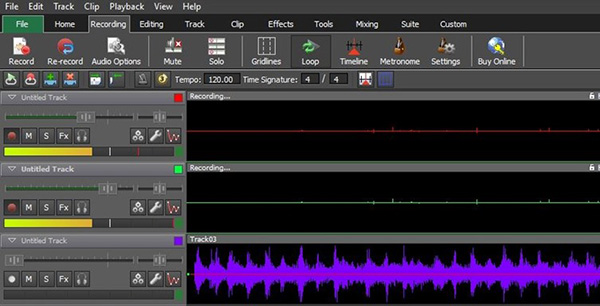
About this software
What is Mixpad Music Mixer and Recording Studio?
Use Mixpad Music Mixer and Recording Studio to Mix audio tracks and add them effects to create interesting sounds, cut sections and merge clips together, record clips. Access all the power of professional recording and mixing equipment through a single platform that streamlines the process and makes mixing a breeze.
Read the full Mixpad Music Mixer and Recording Studio review and feature list →
Requirements
System requirements
Windows 10 64 bit / Windows 10 / Windows 8 64-bit / Windows 8 / Windows 7 64 bit / Windows 7 / Windows Vista 64 bit / Windows Vista / Windows XP 64 bit / Windows XP
Tips
Download tips
If a mirror is slow or temporarily offline, just pick another from the list above — every mirror serves the identical
1.6 MBfile. Each link launches a brief
5-second redirect page so we can track which mirrors are healthiest.
✓
Verified clean. Every Mixpad Music Mixer and Recording Studio build on SoftLookup is scanned for viruses, spyware, adware, trojans and backdoors. We re-test on every update.
Sponsored
At a glance
Mixpad Music Mixer and Recording Studio specifications
- Last updated
- May 1, 2026
- License
- Shareware
- Operating system
- Windows 10/11
- File size
- 1.6 MB
- Filename
- mpsetup.exe
- Mirror count
- 1
- Price
- Free
Sponsored