Overview
What is Internet Usage Monitor?
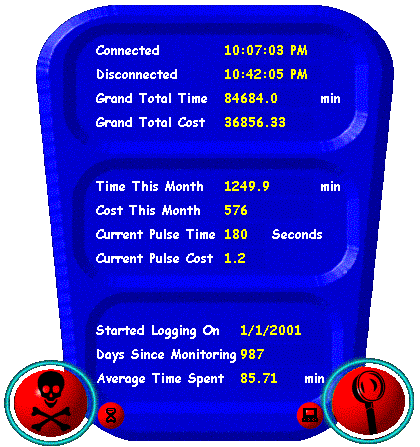
Monitors the time spent on the internet and calculates the cost according to the local telephone charges as specified by the user.It automatically becomes active when you log on to the internet.
In depth
A closer look at Internet Usage Monitor
Monitors the time spent on the internet and calculates the cost according to the local telephone charges as specified by the user.It automatically becomes active when you log on to the internet.It calculates the total time as well as the time spent each month specifically.It generates the outputs in the form of attractive graphs and charts.Yearly Reports are also generated. Both session by session usage and yearly reports can be printed.The graph shows the time and cost spent on monthly basis and also compares the current average and total time spent.Monthly breakup of the cost as well as the time is also given in the form of charts It also has a reminder facility which reminds you for closing the connection after a given period of time you specify.You can select any character from the 2 char Mr. Zap & Mr.Band who will remind you to close the connection.Multiple reminder option is also available.The program is skinnable.You can choose either from the predefined skins as well as choose your own.You can also switch on a timer which will provide you with the information like the time since you are connected and the money spent in the current ongoing session and also the time remaining for the next call to be applicable
Verdict
Should you download Internet Usage Monitor?
Internet Usage Monitor runs on
Windows 10/11
and is available under the
Freeware
license
— the installer is 845 KB.
We’ve catalogued it under
Utilities and Tools.
✓
Verified clean. Every Internet Usage Monitor build on SoftLookup is scanned for viruses, spyware, adware, trojans and backdoors. We re-test on every update.
Sponsored
At a glance
Internet Usage Monitor specifications
- Last updated
- Jan 8, 2025
- License
- Freeware
- Operating system
- Windows 10/11
- File size
- 845 KB
- Price
- Free
- Page views
- 495
Help fellow users decide. Share your experience with Internet Usage Monitor.