Overview
What is Hide-A-File?
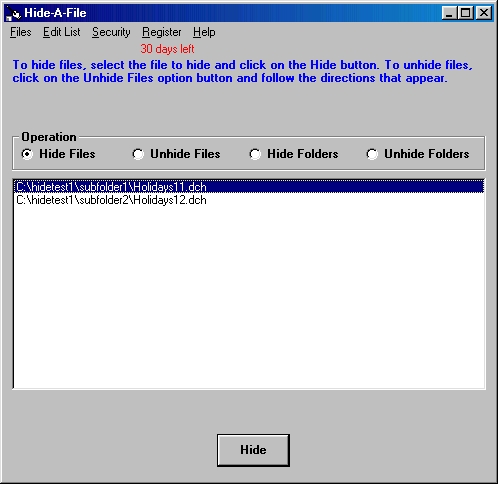
Hide and password protect files or entire folders on your hard drive. Give different passwords to different files and folders and give these passwords to different people so you to control who can access different files.
In depth
A closer look at Hide-A-File
Hide files or entire folders on your computer so that others cannot access these files or folders. This security program is particularly useful for laptop or other computers that can easily be stolen, but can also be used to restrict access to desktop computers. You can not only hide the files, such as documents or spreadsheets, but you can hide the executable program files to restrict use of the programs. When you hide a folder, all the files and subfolders contained within the folder are also hidden. A password set up by you is necessary to unhide files or folders when you want to use them. You can give different passwords to different files and folders and give these passwords to different people, thus allowing you to control who can access different files. A unique triple protection system insures that files and folders cannot be found by any Windows program except Hide-A-File.
Verdict
Should you download Hide-A-File?
Hide-A-File runs on
Windows 10/11
and is available under the
Shareware
license
— the installer is 485 KB.
We’ve catalogued it under
Privacy and Access Control.
✓
Verified clean. Every Hide-A-File build on SoftLookup is scanned for viruses, spyware, adware, trojans and backdoors. We re-test on every update.
Sponsored
At a glance
Hide-A-File specifications
- Last updated
- Feb 19, 2025
- License
- Shareware
- Operating system
- Windows 10/11
- File size
- 485 KB
- Price
- $25
- Page views
- 459
Help fellow users decide. Share your experience with Hide-A-File.