Overview
What is Exstora Pro?
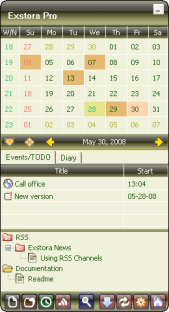
An notes manager, and day planner (personal organizer) software. The category system will let you keep your records ordered, and the password protection system will hide the private data (passwords, notes, ideas) from the stranger's eyes.
In depth
A closer look at Exstora Pro
Exstora is an excellent tool for saving notes, ideas, passwords and scheduled events. It's the best if you are overwhelmed with the information flow and often need to remember or write down the small texts. The category system of Exstora will let you keep your records ordered, and the password protection system will hide the private data (passwords, notes, ideas) from the stranger's eyes. You don't need to know how the processor is designed in order to get started; this personal manager's major goals are the convenience in the use and the ease in getting started.
Requirements
System requirements
RAM 10 Mb, HDD 2 Mb
Verdict
Should you download Exstora Pro?
Exstora Pro runs on
Windows 10/11
and is available under the
Shareware
license
— the installer is 406 KB.
We’ve catalogued it under
Calendars and Schedulers.
✓
Verified clean. Every Exstora Pro build on SoftLookup is scanned for viruses, spyware, adware, trojans and backdoors. We re-test on every update.
Sponsored
At a glance
Exstora Pro specifications
- Last updated
- Mar 12, 2025
- Requirements
- RAM 10 Mb, HDD 2 Mb
- License
- Shareware
- Operating system
- Windows 10/11
- File size
- 406 KB
- Price
- $29.95
- Page views
- 510
Help fellow users decide. Share your experience with Exstora Pro.