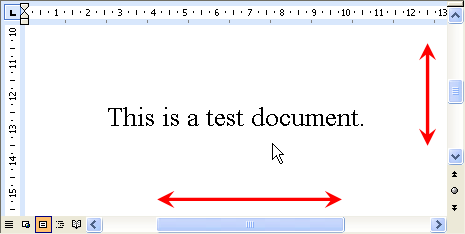
ScrollNavigator helps you to scroll your documents. Simply click and hold down the right mouse button anywhere in a window and move the mouse to scroll the window contents. ScrollNavigator also adds dynamic acceleration to your mouse wheel.
ScrollNavigator helps you to scroll your documents horizontally and vertically. Simply click and hold down the right mouse button anywhere in a window and move the mouse to scroll the window contents. This saves you the trouble of positioning the mouse cursor over a scroll bar and it allows scrolling both directions at the same time. ScrollNavigator works with all windows that have standard scroll bars (e.g. all office programs, explorer windows and most other applications). ScrollNavigator also adds dynamic acceleration to your mouse wheel. This indispensable feature makes mouse wheel scrolling more accurate when you turn the wheel slowly, and it scrolls your documents much faster when you turn the wheel quickly. Try it out and see how wheel acceleration will make your work much more efficient and enjoyable.
ScrollNavigator 5.14.0
In system programs pscrollnavigator is a software that allows you to move faster and more accurately with the mouse wheel. Default the wheel in windows can only have the same behavior in all programs by default. By using scrollnavigator we can adjust it for each program with several modes to choose from. With scrollnavigator enabled in a program you can define various wheel parameters including vertical and horizontal scrolling. Select the number of jumps for each movement of the wheel and accelerate its movement if you hold down the ctrl button while sliding. If you use scrollnavigator the mouse wheel can be accelerated. In the second tab in each program you can set the curve of movement. The default jumps are 5 but with acceleration enabled you have 2 jumps if you do it slowly or up to 66 jumps if you slide. In the third tab settings you'll find customized actions with the forward and back buttons on the mouse as well as the central click of the wheel. If you want to move with more speed and customization options in windows do not hesitate to download scrollnavigator.
ScrollNavigator runs on
Windows 10/11
and is available under the
Shareware
license
— the installer is 288 KB.
We’ve catalogued it under
General.
✓
Verified clean. Every ScrollNavigator build on SoftLookup is scanned for viruses, spyware, adware, trojans and backdoors. We re-test on every update.
Help fellow users decide. Share your experience with ScrollNavigator.