Overview
What is PDF Watermark Creator?
PDF Watermark Creator : Add a watermark to your existing PDF files
In depth
A closer look at PDF Watermark Creator
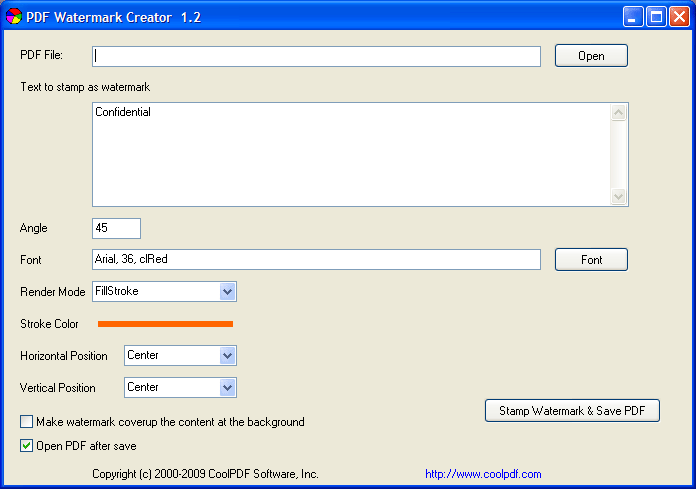
PDF Watermark Creator is an application with a pretty suggestive title - it lets you create and add watermarks to your PDF documents. This tool can be easily used by individuals of any experience level. This is a portable software, so installing PDF Watermark Creator is not necessary. It means that you can store the program on an external device (like a USB flash drive), plug it into any computer and directly run its executable file. What's more important is that your Windows registry keys will not be changed. The interface of the program is plain and simple to work with. PDF documents can be imported into the list by using the file browser only, because the "drag and drop" method is unsupported. Batch processing is not possible.
Verdict
Should you download PDF Watermark Creator?
PDF Watermark Creator runs on
Windows 10/11
and is available under the
Shareware
license
— the installer is 1 MB.
We’ve catalogued it under
Word Processing.
✓
Verified clean. Every PDF Watermark Creator build on SoftLookup is scanned for viruses, spyware, adware, trojans and backdoors. We re-test on every update.
Sponsored
At a glance
PDF Watermark Creator specifications
- Last updated
- Jan 17, 2025
- License
- Shareware
- Operating system
- Windows 10/11
- File size
- 1 MB
- Price
- Free
- Page views
- 637
Help fellow users decide. Share your experience with PDF Watermark Creator.