Overview
What is csXGraph?
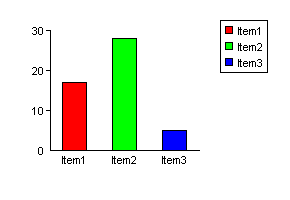
ActiveX control to draw 2D pie charts, bar charts & line graphs. Display the graphs, export to file (GIF, PNG, BMP) or data stream or copy to the clipboard. Properties allow full control over colours and fonts. Free trial.
In depth
A closer look at csXGraph
ActiveX/OCX control to draw 2D pie charts, bar charts & line graphs. As well as displaying the graphs they can be exported to file in gif, png, bmp, jpg or pcx format. Output can be exported as binary data for use with web applications, or copied to the clipboard. A comprehensive selection of properties allow control over colours, fonts, formatting and layout. Pie and bar charts can be drawn with random colours if required, and can display percentages or numeric values. Line graphs can display multiple lines, or be displayed as scatter diagrams by hiding the lines. A stacked bar chart can be drawn with several data items in each bar. All graphs can be shown with legends. Trend lines can be shown on bar charts. Signed CAB file available for client side applications. Free trial.
Verdict
Should you download csXGraph?
csXGraph runs on
Windows 10/11
and is available under the
Demo
license
— the installer is 976 KB.
We’ve catalogued it under
ActiveX.
✓
Verified clean. Every csXGraph build on SoftLookup is scanned for viruses, spyware, adware, trojans and backdoors. We re-test on every update.
Sponsored
At a glance
csXGraph specifications
- Last updated
- Jan 16, 2025
- License
- Demo
- Operating system
- Windows 10/11
- File size
- 976 KB
- Price
- $60
- Page views
- 403
Help fellow users decide. Share your experience with csXGraph.