Overview
What is TabPad?
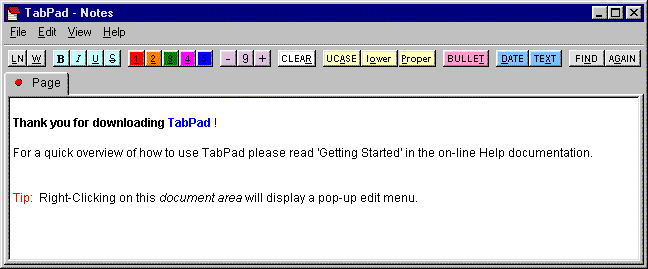
A tabbed notepad with quick-key tool buttons for fast and easy note taking. Organize your notes into multiple notepads. Assign a hot key to recall each notepad. Change colors. Palm? handheld owners can use TabPad as a desktop companion for Memo Pad.
In depth
A closer look at TabPad
A tabbed notepad with quick-key tool buttons for fast and easy note taking. Organize notes into as many notepads as you need. Each notepad can contain up to 255 tabbed pages. Assign a hot key to recall each notepad. Print a page/notepad to the printer or generate the RTF text to open in a word processor, or export raw text (with bullets) to a CSV text file. Customize by changing tool button colors, changing document area color, hiding the menu, etc. TabPad's auto-save feature saves changes whenever focus is lost. Use TabPad to store notes, and lists, including research notes, project notes, to-do lists, trip check lists, ideas, goals, music to try, books to read, recipes, etc. Palm? handheld owners can use TabPad as a desktop companion for the build-in Memo Pad application.
Verdict
Should you download TabPad?
TabPad runs on
Windows 10/11
and is available under the
Shareware
license
— the installer is 2384 KB.
We’ve catalogued it under
Utilities and Tools.
✓
Verified clean. Every TabPad build on SoftLookup is scanned for viruses, spyware, adware, trojans and backdoors. We re-test on every update.
Sponsored
At a glance
TabPad specifications
- Last updated
- Mar 9, 2025
- License
- Shareware
- Operating system
- Windows 10/11
- File size
- 2384 KB
- Price
- $22.95
- Page views
- 480
Help fellow users decide. Share your experience with TabPad.