Overview
What is JumpKeys?
Hot keys for selecting (switching) windows, minimizing/maximizing, making windows Always On Top. Tag 9 windows, on full/partial title, selected using the numbers on the main keyboard, either alone or with the Alt key (Alt+1, Alt+2...), Ctrl key, etc.
In depth
A closer look at JumpKeys
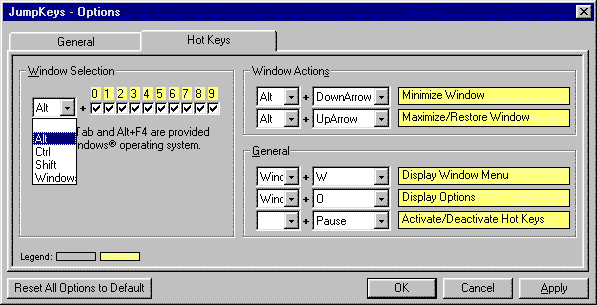
A utility that uses hot keys for selecting (switching between) windows, minimizing, maximizing, and making windows Always On Top. JumpKeys gives you instant control over your desktop windows. Quickly tag up to 9 of your most frequently used windows, to be selected using the numbers on the main keyboard. By default, tagged windows can be selected using the Alt key (Alt+1, Alt+2, and so on). The number 0 always selects the window that previously had the focus (Alt+0). If you prefer, you can select tagged windows using the Ctrl key, Shift key, Windows key, or even with the numbers alone. Tagged windows are identified based on full or partial title. Repeating the same window selection hot key (e.g. Alt+1) will cycle through multiple instances of a tagged window. Also, you can assign a hot key to minimize windows, and assign a hot key to alternately maximize/restore the current window.
Verdict
Should you download JumpKeys?
JumpKeys runs on
Windows 10/11
and is available under the
Shareware
license
— the installer is 2361 KB.
We’ve catalogued it under
Utilities and Tools.
✓
Verified clean. Every JumpKeys build on SoftLookup is scanned for viruses, spyware, adware, trojans and backdoors. We re-test on every update.
Sponsored
At a glance
JumpKeys specifications
- Last updated
- Jan 17, 2025
- License
- Shareware
- Operating system
- Windows 10/11
- File size
- 2361 KB
- Price
- $22.95
- Page views
- 435
Help fellow users decide. Share your experience with JumpKeys.