Overview
What is Mixcraft?
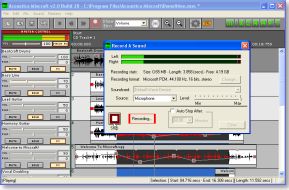
Mixcraft™ 2.5 allows you to record and mix audio like the best producers and DJs at just a fraction of the price. It’s designed to be fast and easy. Focus on your creativity and not on technical details!
In depth
A closer look at Mixcraft
Mixcraft™ 2.5 allows you to record and mix like the best producers and DJs at just a fraction of the price. It’s designed to be fast and easy. Focus on your creativity and not on technical details! Many users have found that they rarely need to use the help file. Cut, paste, edit and shape your sounds the way you want! Use built in effects like reverb, flanger or EQ or install a variety of DirectX or VST effects to add tremelo, distortion, chorus or even remove the vocals from a song! This flexible software can be used in many ways, from recording your first solo album, remixing a song mash-up, pod-casting, editing commercials or even making a production for your daughter’s dance or gymnastic recital! You can even export your mix to MP3, WMA, OGG or WAV, or simply burn it on a CD!
Requirements
System requirements
PIII-400, 128 MB RAM, soundcard
Verdict
Should you download Mixcraft?
Mixcraft runs on
Windows 10/11
and is available under the
Shareware
license
— the installer is 5112 KB.
We’ve catalogued it under
Multimedia and Presentation.
✓
Verified clean. Every Mixcraft build on SoftLookup is scanned for viruses, spyware, adware, trojans and backdoors. We re-test on every update.
Sponsored
At a glance
Mixcraft specifications
- Last updated
- Mar 1, 2025
- Requirements
- PIII-400, 128 MB RAM, soundcard
- License
- Shareware
- Operating system
- Windows 10/11
- File size
- 5112 KB
- Price
- $39.95
- Page views
- 1547
Help fellow users decide. Share your experience with Mixcraft.