Overview
What is Abacre Photo Editor?
Enhance your scanned or digital photos, make color correction, resize images, covert them in variety of image formats and prepare them for Web.
In depth
A closer look at Abacre Photo Editor
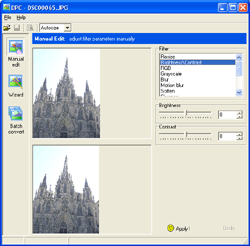
With Abacre Photo Editor you can enhance your scanned or digital photos, make color correction, resize images, covert them in variety of image formats and prepare pictures for Web. Scan or import your photos from digital camera. Then drag-n-drop them into Abacre Photo Editor. Experienced photographers can use Manual mode to manually adjust pictures using variety of color filters. People that never worked with digital imaging software can use Wizard mode where the program automatically suggests corrections and user just chooses a correction, which she likes. Then use Batch mode in order to apply these filters for all selected files, resize them and prepare for Web. Good price-features relation and nice investment of money for your digital camera. Highly recommended for all digital imaging hobbyists.
Verdict
Should you download Abacre Photo Editor?
Abacre Photo Editor runs on
Windows 10/11
and is available under the
Shareware
license
— the installer is 793 KB.
We’ve catalogued it under
Utilities and Tools.
✓
Verified clean. Every Abacre Photo Editor build on SoftLookup is scanned for viruses, spyware, adware, trojans and backdoors. We re-test on every update.
Sponsored
At a glance
Abacre Photo Editor specifications
- Last updated
- Feb 8, 2025
- License
- Shareware
- Operating system
- Windows 10/11
- File size
- 793 KB
- Price
- $24.99
- Page views
- 425
Help fellow users decide. Share your experience with Abacre Photo Editor.