Overview
What is TimeToPhoto?
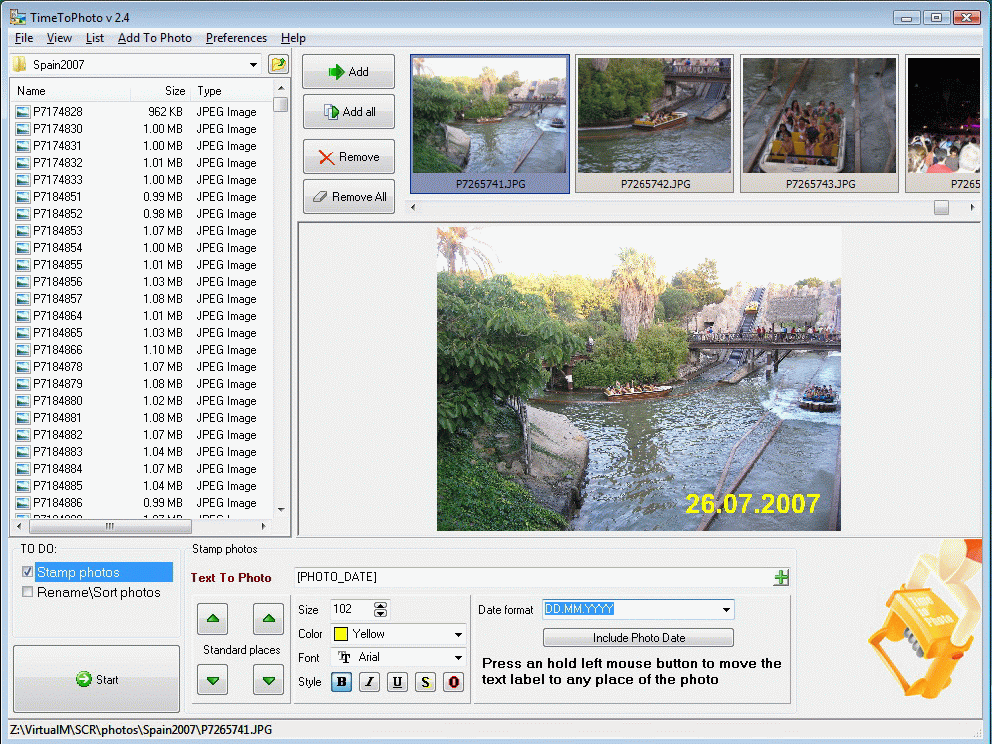
TimeToPhoto allows you to add date stamps or memory labels to selected photos with one mouse click
In depth
A closer look at TimeToPhoto
Most digital cameras don't add datestamps to digital photos. TimeToPhoto helps you see the date and time when you snapped your photos. TimeToPhoto allows you to add datestamps or memory labels to selected photos with one mouse click. Just select the photos with TimeToPhoto and press RUN to get the date to print on all of your selected photos automatically. TimeToPhoto automatically reads the date of the original picture from a file and places the datestamp and/or any text label to your photo. Key features: * batch photo processing * You can add any text label and timestamp to your photos
Verdict
Should you download TimeToPhoto?
TimeToPhoto runs on
Windows 10/11
and is available under the
Shareware
license
— the installer is 1290 KB.
We’ve catalogued it under
Multimedia and Presentation.
✓
Verified clean. Every TimeToPhoto build on SoftLookup is scanned for viruses, spyware, adware, trojans and backdoors. We re-test on every update.
Sponsored
At a glance
TimeToPhoto specifications
- Last updated
- Mar 12, 2025
- License
- Shareware
- Operating system
- Windows 10/11
- File size
- 1290 KB
- Price
- $19
- Page views
- 599
Help fellow users decide. Share your experience with TimeToPhoto.