Overview
What is FileBack PC?
FileBack PC is an automatic file backup and synchronization utility. Featuring automatic configuration, backups using hard disk/floppy/network drives, compressed backups, scheduled backups and other events, automatic backup of changed files, more!
In depth
A closer look at FileBack PC
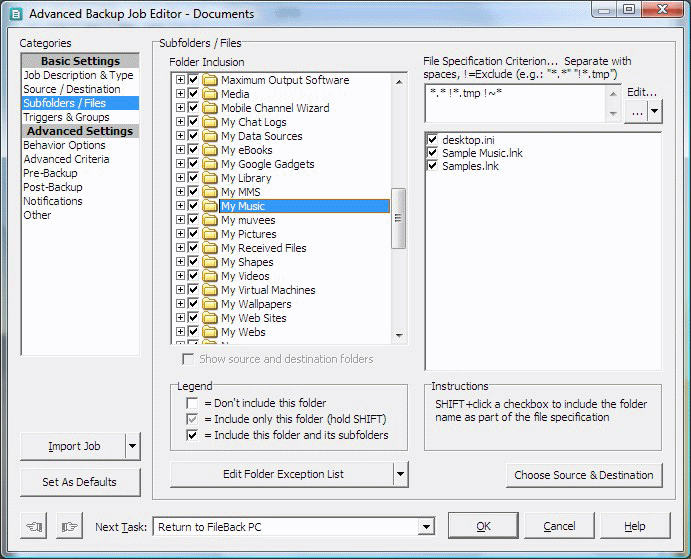
FileBack PC is an automatic file backup and synchronization utility for Windows. Features include automatic configuration (so you don't have the learn how to use the program to backup your data), backups to and from hard disk/floppy/network drives, compressed backups, scheduled backups and other events, automatic backup of files immediately after being saved, automatic network drive mapping, e-mail notification of backup completion status, automatic product updates, tracking of up to 999 versions of each backup file, easy-to-use backup setup and restoration wizards, backup folder cleanup, backups in response to hardware changes, much, much more.
Verdict
Should you download FileBack PC?
FileBack PC runs on
Windows 95/98/Me/NT/2000/Windows 10/11
and is available under the
Shareware
license
— the installer is 1704 KB.
We’ve catalogued it under
Backing Up.
✓
Verified clean. Every FileBack PC build on SoftLookup is scanned for viruses, spyware, adware, trojans and backdoors. We re-test on every update.
Sponsored
At a glance
FileBack PC specifications
- Last updated
- Feb 9, 2025
- License
- Shareware
- Operating system
- Windows 95/98/Me/NT/2000/Windows 10/11
- File size
- 1704 KB
- Price
- $40
- Page views
- 645
Help fellow users decide. Share your experience with FileBack PC.