Overview
What is PDF Splitter?
PDF Splitter : Extract pages from PDF documents according to range, or manual specifications, and append more files to an existing one with this powerful PDF manager
In depth
A closer look at PDF Splitter
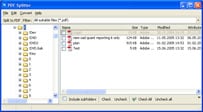
Documents under the PDF format can hold many different types of content, and is preferred over the others for its advanced security. Such files can’t be easily modified, but there are a lot of specialized applications for different operations, just like PDF Splitter helps you extract pages, or add more to a single document. The application feels a little rough around the edges in terms of design, but it somehow manages to keep an intuitive layout, with a side panel for quick navigation through folders, and a large list that gets updated with all PDF files in the directory you select. Options are displayed in a dedicated toolbar, and initiating a process brings up new windows with more controls. You need to work within the application’s boundaries, in the sense that loading is not an actual process, but rather identification and selection of one or more PDF files inside the list. In case you’re having a difficult time finding the target PDF files, there’s a built-in search component fitted with different time and size related filters, fetching files almost instantly.
Requirements
System requirements
Windows 2008 / Windows 2003 / Windows 7 64-bit / Windows 7 / Windows Vista / Windows XP / Windows 2000
Verdict
Should you download PDF Splitter?
PDF Splitter runs on
9x/NT/2000/ME/XP/Windows 10/11
and is available under the
Time-limited Trial
license
— the installer is 4 MB.
We’ve catalogued it under
Word Processing.
✓
Verified clean. Every PDF Splitter build on SoftLookup is scanned for viruses, spyware, adware, trojans and backdoors. We re-test on every update.
Sponsored
At a glance
PDF Splitter specifications
- Last updated
- Mar 1, 2025
- Requirements
- Windows 2008 / Windows 2003 / Windows 7 64-bit / Windows 7 / Windows Vista / Windows XP / Windows 2000
- License
- Time-limited Trial
- Operating system
- 9x/NT/2000/ME/XP/Windows 10/11
- File size
- 4 MB
- Price
- $39.9
- Page views
- 566
Help fellow users decide. Share your experience with PDF Splitter.