Overview
What is WebPhotoStudio?
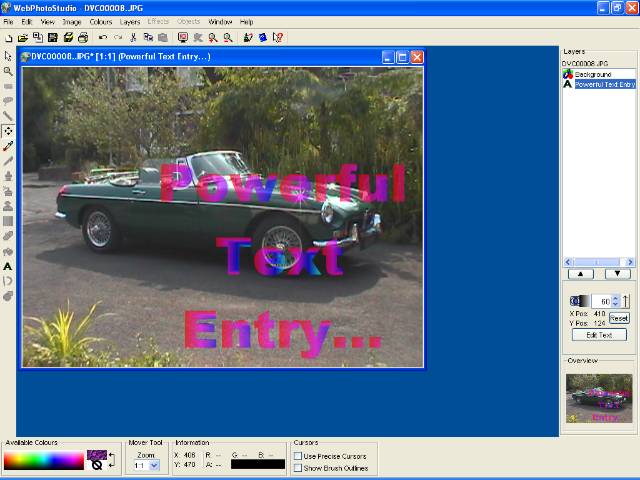
A powerful, easy to use photo editing application (or create new images). Supports 14 popular file formats. Custom brushes for bitmap painting, or create XML-based vector objects for drawings. Unlimited undo/redo, 50+ image filters, email built-in.
In depth
A closer look at WebPhotoStudio
A powerful, easy to use photo editing application - also great for creating new images. Supports 14 popular file formats. Use custom brushes for bitmap painting, or create your own XML-based vector objects and gradients for drawings. Unlimited undo/redo, over 50 image filters and the ability to email images directly from within WebPhotoStudio. The auto-updating features provide instant support. Sophisticated text entry, a Photo-printing wizard and a choice of interfaces - the traditional "painting" or simple Wizards-based interface. All of which make WebPhotoStudio very easy to use. Animation support is also built-in - no need for external software to create your simple animations.
Requirements
System requirements
128MB RAM, Pentium III or greater, 60MB Hard Disk
Verdict
Should you download WebPhotoStudio?
WebPhotoStudio runs on
Windows 9X/ME/2K/XP/2003
and is available under the
Demo
license
— the installer is 19140 KB.
We’ve catalogued it under
Graphics Editing and Painting.
✓
Verified clean. Every WebPhotoStudio build on SoftLookup is scanned for viruses, spyware, adware, trojans and backdoors. We re-test on every update.
Sponsored
At a glance
WebPhotoStudio specifications
- Last updated
- Feb 11, 2025
- Requirements
- 128MB RAM, Pentium III or greater, 60MB Hard Disk
- License
- Demo
- Operating system
- Windows 9X/ME/2K/XP/2003
- File size
- 19140 KB
- Price
- $55
- Page views
- 572
Help fellow users decide. Share your experience with WebPhotoStudio.