Overview
What is RoboGEO?
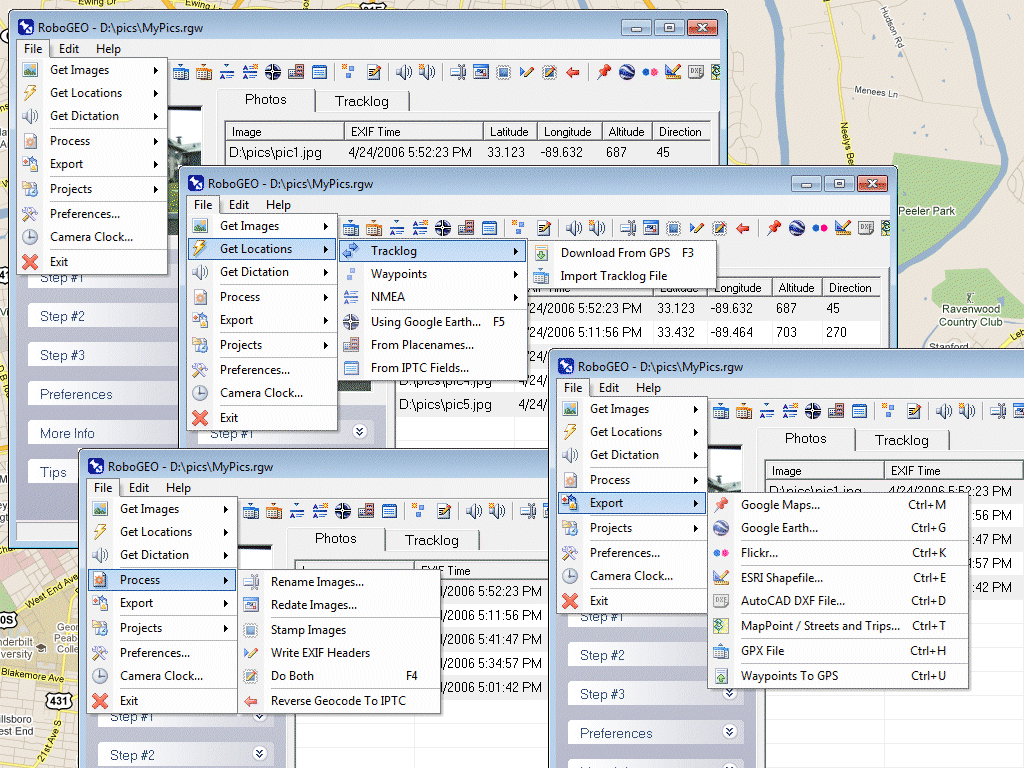
Geocode photos from a GPS for GIS field data collection. Stamp the images or write to the EXIF headers. Export Google Maps, KML KMZ files for Google Earth, Shapefiles (SHP), AutoCAD DXF files, or Flickr. Import from tracklogs, waypoints or GPX.
In depth
A closer look at RoboGEO
Geocode digital images with latitude, longitude, altitude, and direction information when collecting GIS field data. RoboGEO stamps this information onto the actual photo or writes it to the EXIF headers, allowing you to permanently geotag and link your photos to the GPS coordinates. All writing to the EXIF and IPTC headers is lossless and all of the existing comments (including the MakerNote and the Adobe XMP metadata) are preserved. Includes a Picasa style geotagger for Google Earth. Create web pages that use Google Maps, export KML or KMZ files to Google Earth, upload geotagged photos to Flickr, export ESRI SHP shapefiles, export to MapPoint, or export DXF files for use in various vector based drawing programs such as AutoCAD or IntelliCAD. Show the photo direction on maps and calculate it from the GPS tracklog. Automatically merge EXIF or IPTC tags into the image titles and descriptions. Record dictation using any modern digital voice recorder and automatically associate audio with the photos. Rotate or redate images based on the EXIF info. Export GPX files. Edit the EXIF times. Photo locations can be projected to a new location in either ground or airplane mode. Free EXIF/IPTC viewer included. Geocode any type of JPG, PNG, BMP, TIF, or Adobe DNG file. Directly supports Garmin GPS units (USB or COM), but no GPS is required. Georeference images from a GPS tracklog, NMEA sentences or waypoints. Import GPX files for interfacing with other GPS makes and models like Magellan, Lowrance or Trimble. Supports DNR Garmin. Includes an image renaming utility that renames images based on the EXIF data. Works with any modern digital camera. Internationally aware. Very easy to use. Nice user interface. Perfect tool for aerial photography, land surveyors, engineers, insurance claim adjusters or anyone who needs to collect field data for integration into a GIS system. Low cost. Free lifetime upgrades. Extensive on-line documentation.
Verdict
Should you download RoboGEO?
RoboGEO runs on
Windows 9X/ME/2K/XP/2003
and is available under the
Demo
license
— the installer is 6585 KB.
We’ve catalogued it under
Graphics Editing and Painting.
✓
Verified clean. Every RoboGEO build on SoftLookup is scanned for viruses, spyware, adware, trojans and backdoors. We re-test on every update.
Sponsored
At a glance
RoboGEO specifications
- Last updated
- Jan 24, 2025
- License
- Demo
- Operating system
- Windows 9X/ME/2K/XP/2003
- File size
- 6585 KB
- Price
- $34.95
- Page views
- 521
Help fellow users decide. Share your experience with RoboGEO.