Overview
What is PrintConductor?
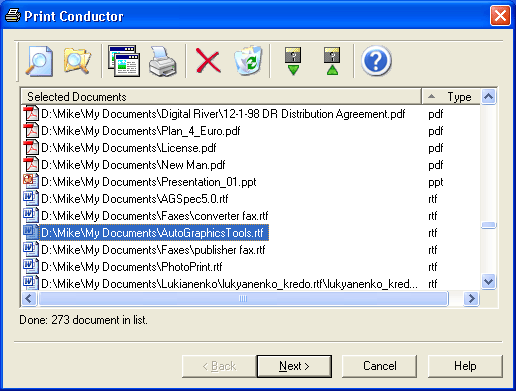
PrintConductor program prints any number of documents in batch mode. It lets you print large numbers of files, including Adobe PDF, Microsoft Word DOC, Microsoft Excel XLS, Autodesk AutoCAD DWG, Microsoft PowerPoint PPT, etc.
In depth
A closer look at PrintConductor
PrintConductor program prints any number of documents in batch mode. It lets you print large numbers of files, including Adobe PDF, Microsoft Word DOC, Microsoft Excel XLS, Autodesk AutoCAD DWG, Microsoft PowerPoint PPT, etc. Simply specify the files, adjust your printer and press the Run button! Do you need to convert lots of documents to TIFF, GIF or JPEG? PrintConductor can print on virtual printers to convert documents into graphics files. PrintConductor and Universal Document Converter supplement each other impressively! Simply specify the documents you want to convert, select Universal Document Converter from the list of installed printers and press the Run button. The programs immediately start converting your documents into graphics files!
Requirements
System requirements
Pentium 166, 32 MB RAM
Verdict
Should you download PrintConductor?
PrintConductor runs on
9x/NT/2000/ME/XP/Windows 10/11
and is available under the
Freeware
license
— the installer is 548 KB.
We’ve catalogued it under
General.
✓
Verified clean. Every PrintConductor build on SoftLookup is scanned for viruses, spyware, adware, trojans and backdoors. We re-test on every update.
Sponsored
At a glance
PrintConductor specifications
- Last updated
- Feb 13, 2025
- Requirements
- Pentium 166, 32 MB RAM
- License
- Freeware
- Operating system
- 9x/NT/2000/ME/XP/Windows 10/11
- File size
- 548 KB
- Price
- Free
- Page views
- 602
Help fellow users decide. Share your experience with PrintConductor.