Overview
What is Abacre Paperless Office?
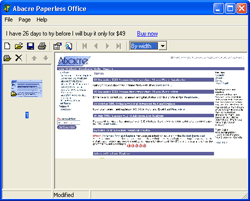
Scan documents, drag-n-drop scanned images in Abacre Paperless Office and create paperless office files. It introduces new portable file format: APO. Share documents with colleagues by email or via web site. Search and print files when it’s needed.
In depth
A closer look at Abacre Paperless Office
Scan paper documents with scanning software, then open Abacre Paperless Office, drag-n-drop scanned images (TIFF, JPG) and create paperless office files. It is not one heavy central database. It introduces new file format: APO. The main advantage is that APO documents are portable. With APO documents you can easily share documents with your friends and colleagues by sending documents by email, putting them on your web site. APO documents have standard properties: Author, Keywords, Title and Description and you can do quick and comprehensive search by these properties. It comes with free Abacre Paperless Office Reader. So your friends can use APO Reader for viewing your documents without paying for it. If sometimes you still need hard copy of your document, you can print it on paper. Highly recommended for use at home and office.
Verdict
Should you download Abacre Paperless Office?
Abacre Paperless Office runs on
Windows 9X/ME/2K/XP/2003
and is available under the
Shareware
license
— the installer is 793 KB.
We’ve catalogued it under
General.
✓
Verified clean. Every Abacre Paperless Office build on SoftLookup is scanned for viruses, spyware, adware, trojans and backdoors. We re-test on every update.
Sponsored
At a glance
Abacre Paperless Office specifications
- Last updated
- Mar 12, 2025
- License
- Shareware
- Operating system
- Windows 9X/ME/2K/XP/2003
- File size
- 793 KB
- Price
- $34.99
- Page views
- 601
Help fellow users decide. Share your experience with Abacre Paperless Office.