Overview
What is ExcelExplorer?
ExcelExplorer : View and edit Microsoft Excel spreadsheets using this straightforward tool with basic editing options that doesn't need Excel installed
In depth
A closer look at ExcelExplorer
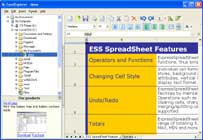
ExcelExplorer Wrapped in a user-friendly interface made from a large window with a clear-cut structure, the utility has a built-in file explorer for navigating disk directories to locate and open Excel spreadsheets. You can check out the rows and columns, cut, copy and paste data within cells, insert or delete cells, customize the font type and size, emphasize text (bold, italic, underline, strikethrough), set the text alignment, modify the height for rows and columns or ask ExcelExplorer to automatically adjust it, as well as rename or delete sheets.
Verdict
Should you download ExcelExplorer?
ExcelExplorer runs on
9x/NT/2000/ME/XP/Windows 10/11
and is available under the
Time-limited Trial
license
— the installer is 4 MB.
We’ve catalogued it under
Word Processing.
✓
Verified clean. Every ExcelExplorer build on SoftLookup is scanned for viruses, spyware, adware, trojans and backdoors. We re-test on every update.
Sponsored
At a glance
ExcelExplorer specifications
- Last updated
- Apr 16, 2026
- License
- Time-limited Trial
- Operating system
- 9x/NT/2000/ME/XP/Windows 10/11
- File size
- 4 MB
- Price
- $19.9
- Page views
- 674
Help fellow users decide. Share your experience with ExcelExplorer.