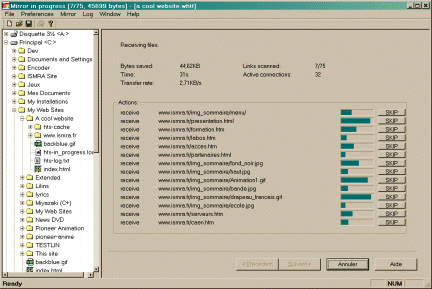
HTTrack is an offline browser utility. It allows you to download a website from the Internet to a local directory : simply open a page of the "mirrored" website in your browser, and you can browse the site as if you were viewing it online.
HTTrack is an easy-to-use offline browser utility. It allows you to download a World Wide website from the Internet to a local directory, building recursively all directories, getting html, images, and other files from the server to your computer. HTTrack arranges the original site's relative link-structure. Simply open a page of the "mirrored" website in your browser, and you can browse the site from link to link, as if you were viewing it online. HTTrack can also update an existing mirrored site, and resume interrupted downloads. HTTrack is fully configurable, and has an integrated help system.
HTTrack Website Copier 3.48-7
Site copying software pwinhttrack allows you to browse through a whole website without needing to connect to the internet. The entire process is very simple the program stores all the required information from any website on your hard disk. Site copying software downloads images links to resources. And everything it finds on the url you provide so that you can access it without an internet connection. It includes many different settings and is completely free. The websites can be accessed without an internet connection by using any internet browser.
HTTrack Website Copier runs on
9x/NT/2000/ME/XP/Windows 10/11
and is available under the
Freeware
license
— the installer is 3349 KB.
We’ve catalogued it under
Browsers.
✓
Verified clean. Every HTTrack Website Copier build on SoftLookup is scanned for viruses, spyware, adware, trojans and backdoors. We re-test on every update.
Help fellow users decide. Share your experience with HTTrack Website Copier.