Overview
What is PC Photo Kiosk?
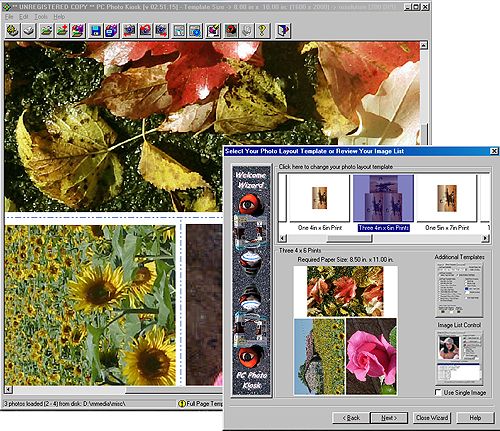
Process your digital photos in the comfort of your own home. Just like Photo Lab or Drug Store Kiosks, your first step is to select your images for printing. Select the photo template and print the results INSTANTLY.
In depth
A closer look at PC Photo Kiosk
Process your digital photos in the comfort of your own home. Just like Photo Lab or Drug Store Kiosks, your first step is to select your images for printing. Once an image list is selected, the popup photo layout dialog gives you complete control over image selection, templates and filters using the built-in property sheet controls. You save MONEY, INK and TIME! Key Features Include:
Requirements
System requirements
Hard drive space 10? Megabytes, 256 Mbytes (minimum) CPU: Intel? 486 66MHz
Verdict
Should you download PC Photo Kiosk?
PC Photo Kiosk runs on
Windows 9X/ME/2K/XP/2003
and is available under the
Shareware
license
— the installer is 1900 KB.
We’ve catalogued it under
Utilities and Tools.
✓
Verified clean. Every PC Photo Kiosk build on SoftLookup is scanned for viruses, spyware, adware, trojans and backdoors. We re-test on every update.
Sponsored
At a glance
PC Photo Kiosk specifications
- Last updated
- Jan 4, 2025
- Requirements
- Hard drive space 10? Megabytes, 256 Mbytes (minimum) CPU: Intel? 486 66MHz
- License
- Shareware
- Operating system
- Windows 9X/ME/2K/XP/2003
- File size
- 1900 KB
- Price
- $29.95
- Page views
- 494
Help fellow users decide. Share your experience with PC Photo Kiosk.