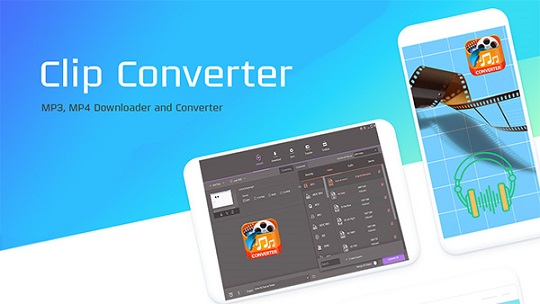
Y2mateMP4 is a free YouTube video downloader that saves YouTube and Facebook videos as MP4 in HD, 1080p, and 4K. Convert to MP3, M4A, AAC. Free download.
320 kbps
Max Audio Quality
About Y2mateMP4
Y2mateMP4 is a free Windows tool for downloading and converting YouTube and Facebook videos to MP4 format. The tool handles videos up to 4K resolution, supports audio extraction in MP3 and other formats, and includes a built-in video converter that supports over 1,000 format conversions. Unlike browser-based tools that have daily limits, Y2mateMP4 is desktop software with no usage caps.
The tool combines three main capabilities: a YouTube/Facebook video downloader, a video format converter, and a screen recorder. This makes it useful both for saving online videos and for converting existing video files to formats compatible with phones, tablets, game consoles, or smart TVs.
Key Features
🎬 HD Video Downloads
Download YouTube videos as MP4 up to 1080p Full HD. 4K supported when source video is available in 4K.
🎵 Audio Extraction
Extract audio as MP3 (128/192/256/320 kbps), M4A, AAC, OGG, WMA, FLAC, or WAV.
📺 1000+ Conversions
Convert between MP4, AVI, MKV, MOV, WMV, FLV, WebM, and many more video formats.
🎮 Device Presets
One-click presets for iPhone, iPad, Android, Apple TV, Xbox, PSP, smart TVs, and VR devices.
⚡ GPU Acceleration
Hardware acceleration via NVIDIA CUDA, NVENC, and Intel HD Graphics — up to 6x faster.
🎥 Screen Recorder
Record video and audio from your screen. Useful for capturing streaming content not natively downloadable.
📋 Batch Processing
Queue multiple videos for conversion overnight. No daily limits like browser-based tools.
🌐 Multi-Platform
Available for Windows and macOS. Same core features across both platforms.
How to Use Y2mateMP4
Downloading YouTube Videos
- Copy the YouTube URL. On YouTube, click "Share" below the video, then "Copy link." On mobile, tap Share → Copy link.
- Open Y2mateMP4. Launch the desktop app on your Windows or Mac computer.
- Paste the URL. Paste the YouTube link into the URL input field.
- Choose format and quality. Select MP4 for video (and resolution: 1080p, 720p, etc.) or MP3 for audio-only (and bitrate: 320 kbps for highest quality).
- Click Convert. The download and conversion typically takes 5-30 seconds depending on video length and your internet speed.
- Locate your file. Downloaded files save to your designated download folder. You can change this in Preferences → Location.
Converting Existing Video Files
- Open the Convert tab. Click "Convert" in the main menu.
- Add files. Click "Add Files" and select one or more videos from your computer.
- Choose output format. Click the format dropdown — choose MP4, MP3, MOV, AVI, or any other supported format.
- Optional: Edit videos. Use the trim, crop, or filter tools before converting if needed.
- Click Convert All. Process all queued videos. Enable High Speed Conversion to use GPU acceleration.
- Find converted files. Open the Converted tab to see results, or click the folder icon to open the output directory.
Supported Video Resolutions
| Resolution | Quality Tier | File Size (10 min) | Best For |
|---|
| 144p | Lowest | ~25 MB | Slow connections, audio-only viewing |
| 240p | Low | ~40 MB | Mobile data saving |
| 360p | SD | ~50 MB | Older devices |
| 720p | HD | ~200 MB | Most desktop viewing |
| 1080p | Full HD | ~400 MB | Standard for modern viewing |
| 2160p (4K) | UHD | ~1.5 GB | 4K TVs, archival quality |
Note on 4K downloads: 4K video is only available when the source YouTube upload includes a 4K version. Most older videos and many standard channel uploads are 1080p maximum. Choosing 4K on a 1080p source will download the available 1080p version, not upscale to 4K.
MP3 Audio Quality Options
For audio extraction, Y2mateMP4 offers multiple bitrate options:
| Bitrate | Quality | File Size (3-min song) | Best For |
|---|
| 128 kbps | Acceptable | ~3 MB | Voice content, podcasts, mobile data saving |
| 192 kbps | Good | ~4.5 MB | Most music listening |
| 256 kbps | Very good | ~6 MB | Music with quality headphones |
| 320 kbps | Highest MP3 | ~7.5 MB | Audiophile use, archival |
System Requirements
| Operating System | Windows 7, 8, 10, 11 (64-bit recommended) / macOS 10.5+ |
|---|
| Processor | 1 GHz Intel processor or above |
|---|
| Memory (RAM) | 512 MB minimum, 2 GB recommended for HD/4K conversion |
|---|
| Free Disk Space | 100 MB for installation, plus storage for downloaded videos |
|---|
| GPU (Optional) | NVIDIA CUDA / NVENC, AMD, or Intel HD Graphics for acceleration |
|---|
| Internet Connection | Required for downloading; not needed for offline format conversion |
|---|
| Languages Supported | English, German, French, Portuguese, Spanish, Italian, Japanese, Arabic |
|---|
Y2mateMP4 vs Browser-Based Tools
Honest comparison of when desktop software like Y2mateMP4 is better than browser-based alternatives:
| Feature | Y2mateMP4 (Desktop) | Browser-Based Tools |
|---|
| Daily download limits | None | Often 2-10/day on free tier |
| Speed | Limited only by your internet | Server queue delays during peak hours |
| 4K downloads | Yes | Most cap at 1080p |
| Batch processing | Yes — queue many videos | Usually one at a time |
| Privacy | Local processing | Files uploaded to their servers |
| Installation | Required (107 MB) | None — runs in browser |
| Convenience | Better for repeated use | Better for one-off downloads |
| Cross-device | Per-device install | Works on any device with browser |
Common Use Cases
Saving YouTube Videos for Offline Viewing
The most common use — downloading videos to watch later without internet. Useful for travel, commutes, or areas with unreliable connectivity. Save to your phone or tablet for offline playback.
Extracting Audio from Music Videos
Save just the audio track from YouTube music videos as MP3. Use 320 kbps for highest quality. Note: this is for personal listening only — redistributing copyrighted audio is illegal.
Converting Videos for Specific Devices
The device presets handle compatibility automatically. If you want to play a video on an iPhone, iPad, or older smart TV, choose the device preset and Y2mateMP4 sets the right format, codec, and resolution.
Recording Streaming Content
For content that can't be directly downloaded (some streaming services, live broadcasts, webinars), the screen recorder captures your screen and audio. Save as MP4 for later viewing.
Backing Up Your Own Content
If you've uploaded videos to YouTube but lost the original files, Y2mateMP4 can download your own uploads. Some quality is lost (YouTube re-encodes uploads), but it's better than nothing.
Common Issues and Solutions
"Video unavailable" error
Some YouTube videos can't be downloaded due to region restrictions, age verification, or copyright protection by the uploader. Try a different video or check if the original is still available on YouTube. Y2mateMP4 occasionally needs updates when YouTube changes its internal video formats.
1080p download has no audio
YouTube serves video and audio as separate files at 1080p+. Y2mateMP4 normally merges these automatically. If you get silent video, try downloading at 720p instead, or use the "Convert" function to merge an audio file separately.
Conversion is slower than expected
Enable GPU Acceleration in Preferences → Convert. This requires an NVIDIA, AMD, or Intel GPU with current drivers. Conversion can be 2-6x faster with GPU acceleration vs CPU-only.
Output file is much larger than expected
Higher resolutions and bitrates produce larger files. For mobile use, 720p MP4 at standard bitrate is usually sufficient. Use the Compress option to reduce file size at the cost of some quality.
Legal Considerations
Honest legal note: Downloading public domain or Creative Commons content is generally legal. Downloading copyrighted content without permission technically violates YouTube's Terms of Service and may infringe copyright in many jurisdictions. Personal-use enforcement against individual users is rare, but redistributing or commercializing downloaded content can have real consequences. YouTube Premium ($13.99/month) offers legal offline downloads for users who want full peace of mind.
Y2mateMP4 Alternatives
Y2mateMP4 is one of many YouTube downloaders. If it doesn't work for a specific need, alternatives include:
Recommended Alternatives
Ytmp4.softlookup.com
Browser-based YouTube to MP4. No install needed for occasional use.
Visit Ytmp4 →
Ymp3.softlookup.com
Browser-based YouTube to MP3 converter. Best for audio-only.
Visit Ymp3 →
Y2Mate Alternatives Guide
Comparison of 10 YouTube downloader tools.
Read guide →
YouTube to MP4 Guide
Full guide to MP4 downloaders including HandBrake and 4K Video Downloader.
Read guide →
YouTube to MP3 Guide
Best tools for extracting MP3 audio from YouTube videos.
Read guide →
Online Video Downloader Guide
Multi-platform tools (YouTube, Facebook, TikTok, more).
Read guide →
Frequently Asked Questions
What is Y2mateMP4?
Y2mateMP4 is a free YouTube video downloader for Windows that saves YouTube and Facebook videos as MP4 files. It supports HD, 1080p Full HD, and 4K resolutions, plus audio extraction to MP3, M4A, and AAC formats.
Is Y2mateMP4 free?
Yes, Y2mateMP4 is freeware. The core downloading and conversion features are completely free with no time limits. Some advanced features may be available in a paid version.
What video resolutions does Y2mateMP4 support?
1080p Full HD, 720p HD, 480p, 360p, 240p, and 144p MP4 output. For higher resolutions like 1440p or 2160p (4K), the source YouTube video must be available in those resolutions.
What audio formats can Y2mateMP4 export?
MP3, M4A, AAC, OGG, WMA, FLAC, and WAV. For MP3 specifically, available bitrates include 128, 192, 256, and 320 kbps.
Does Y2mateMP4 work on Mac?
Yes. A separate Mac version is available for OS X 10.5+ with minimum 1GHz Intel processor, 100 MB free disk space, and 512MB RAM.
Is it legal to download YouTube videos with Y2mateMP4?
Downloading public domain or Creative Commons content is generally legal. Downloading copyrighted content without permission technically violates YouTube's Terms of Service. YouTube Premium offers legal offline downloads.
Why use Y2mateMP4 instead of online converters?
Three main reasons: no upload required (faster, more private), no daily download limits like browser tools impose, and batch processing for multiple videos overnight.
Can Y2mateMP4 download from sites other than YouTube?
Yes. Y2mateMP4 supports Facebook, Vimeo, SoundCloud, VK, and other major video hosting sites. For unsupported sites, the screen recorder feature can capture content.
Software Information
| Software Name | Y2mateMP4 YouTube Downloader |
|---|
| Category | Audio and MP3 |
|---|
| Publisher | A GRADE |
|---|
| License | Freeware |
|---|
| Operating System | Windows / Mac |
|---|
| File Size | 107 MB |
|---|
| Last Updated | 16/11/2023 |
|---|
| Total Downloads | 79,681 |
|---|
| User Rating | 5/5 (3,235 reviews) |
|---|
Download Y2mateMP4 Now →
Software entry last updated: April 25, 2026.
Y2mateMP4 YouTube Downloader — Free MP4 Converter Download 2026 runs on
Windows 10/11
and is available under the
Freeware
license
— the installer is 107 MB.
We’ve catalogued it under
Audio and MP3.
Help fellow users decide. Share your experience with Y2mateMP4 YouTube Downloader — Free MP4 Converter Download 2026.