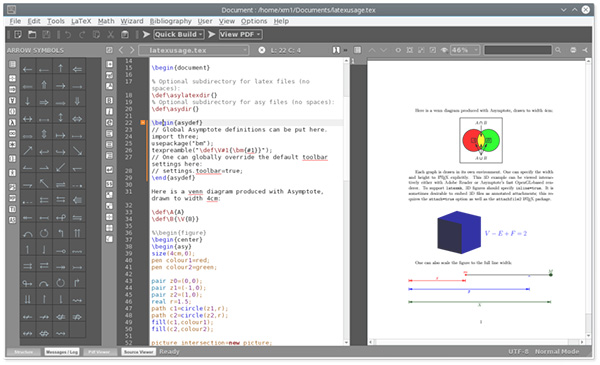
Texmaker is a modern and cross-platform LaTeX editor for linux, macosx and windows systems that integrates many tools needed to develop documents with LaTeX commands, but also references such as labels, footnotes and indexes.
Texmaker Main features:
1- Texmaker includes unicode support, spell checking, auto-completion, code folding and a built-in pdf viewer with synctex support and continuous view mode. Texmaker is fully unicode and supports a large variety of encodings.
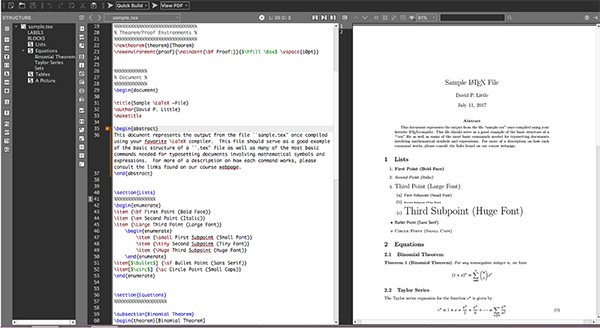
2- Texmaker is easy to use and to configure. The main LaTeX commands can be quickly inserted while typing. Texmaker includes a "structure view" which is automatically updated while typing.
3- Texmaker allows you to work easily onto documents separated in several files with the "master mode".
4- Texmaker includes a built-in pdf viewer with continuous scrolling and synctex support.
5- One-click compilation with the predefined Quick build commands.
6- 370 mathematical symbols can be inserted in just one click.
7- Texmaker includes wizards to generate the most standard LateX code ('Quick document', 'Quick Beamer Presentation' , 'Quick letter', tabular, tabbing and array environments.
8- Texmaker automatically locates errors and warnings detected in the log file after a compilation and you can reach the corresponding lines in the document in one-click.
9- With Texmaker you can search for text in all the latex documents included in a folder (and the subfolders). If you click on a line, Texmaker will open the corresponding document at the right line.
Combining ease of use with a rich feature set, Texmaker The user interface displays the viewer pane, right next to the structure navigator, which is automatically updated as you modify the code. To help you even more, the program comes with built-in wizards designed to assist you in generating different LateX code sections (quick document, letter, tabular, tabbing and array) and allows you to work on multiple files simultaneously. The software features spell checking, custom color highlighting, as well as code folding and auto-completion capabilities, which ensures code accuracy and quality. Unicode support, inverse search, find and replace tool and code navigation functions are other advantages that this application brings you.
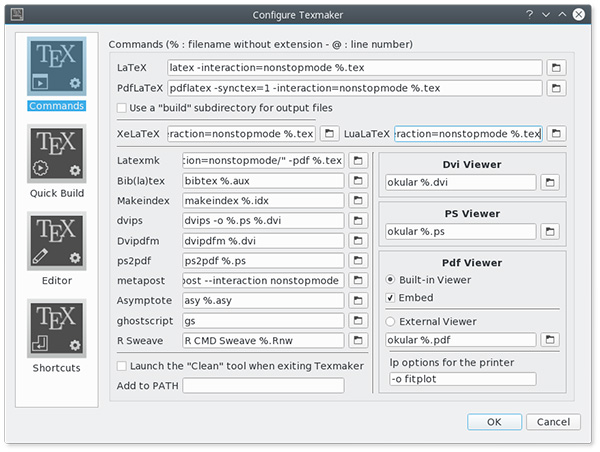
Configuring Texmaker editor
Before compiling your first document, you must set the encoding used by the editor ("Configure Texmaker" -> "Editor" -> "Editor Font Encoding"). Then, you should use the same encoding in the preamble of yours TeX documents (example : \usepackage[latin]{inputenc}, if you use the "ISO-8859-1" encoding for the editor)
Windows 10 64-bit / Windows 10 / Windows 8 64-bit / Windows 8 / Windows 7 64 bit / Windows 7 / Windows Vista 64 bit / Windows Vista / Windows XP
Texmaker runs on
Windows 10/11
and is available under the
GPLv2
license
— the installer is 61.6 MB.
We’ve catalogued it under
General.
Help fellow users decide. Share your experience with Texmaker.