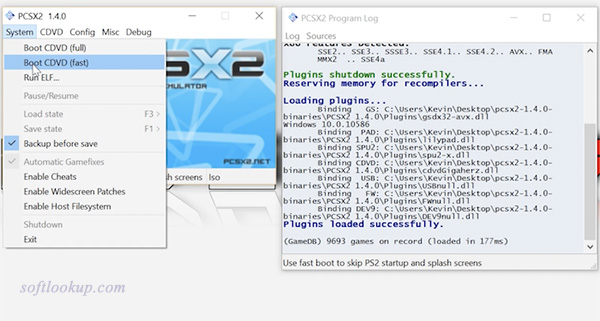
PCSX2 or ps2 emulator is a free and open-source PlayStation 2 emulator for Windows, Linux and macOS that supports a wide range of PlayStation 2 video games with a high level of compatibility and functionality.
The compatibility rates for the ps2 emulator boast over 80% of all PS2 games as playable. If you own a reasonably powerful computer then PCSX2 is a great ps2 emulator. The application also provides support for lower end computers as well, so all owners of Playstation 2 consoles will be able to see games working on their PC! With the PCSX2 emulator you will be able to use your PS2 controllers to simulate an authentic Playstation experience. The application also gives you the ability to either run the games straight from the disc or as an ISO image from your hard drive.Key features include:
- Savestates: you can press one button to save the current "State" of your game.
- Unlimited memory cards: you can save as many memory cards as you like, you are no longer limited to the single physical cards ranging from 8mb to 64mb.
- Higher definition graphics: with PCSX2 you have the ability to play your games in 1080p, or even 4K HD.
How to properly configure PCSX2 for windows:
1) Download ps2 emulator setup exe file pcsx2-1.4.0-setup.exe from the below link.
2) PCSX2 comes in 3 flavors, full installer, web installer and binary. Full installer has the DirectX web installer bundled, web installer optionally downloads it from the internet, and binary is only the program with the plugins. Download the one you prefer or if you don't know which, the full installer.
3) Run the installer (if you downloaded the installer) or if you downloaded binary open the archive and extract its contents into a folder. (e.g. C:\PCSX2)
4) Run pcsx2-r5875.exe which is in the folder you installed or extracted the files.
How to properly configure PCSX2 for Linux:
Get the new binary from here or the source from Git. To compile from source, follow the instructions in the Compilation Guide for Linux.
You need the following installed: libasound2-dev, libbz2-dev, libgl1-mesa-dev, libglew1.5-dev, libglu1-mesa-dev, libgtk2.0-dev, libjpeg-dev, libsdl1.2-dev, libsoundtouch1-dev, libsparsehash-dev, libwxbase2.8-dev, libwxgtk2.8-dev, libx11-dev, nvidia-cg-toolkit, portaudio19-dev, zlib1g-dev.
Plugins generally used Linux include: ZZOgl-pg (or ZZOgl), GSdx SDL, SPU2-X, ZeroSPU2, OnePad, Linuz Iso, EFP Iso, and EFP Polling.
NOTE: Only 32-bit architectures are supported, or distributions that allow the installation of 32-bit packages under a 64-bit architecture.
PCSX2 - ps2 emulator runs on
Windows 10/11
and is available under the
Freeware
license
— the installer is 17.01 MB.
We’ve catalogued it under
Desktop Tools.
Help fellow users decide. Share your experience with PCSX2 - ps2 emulator.