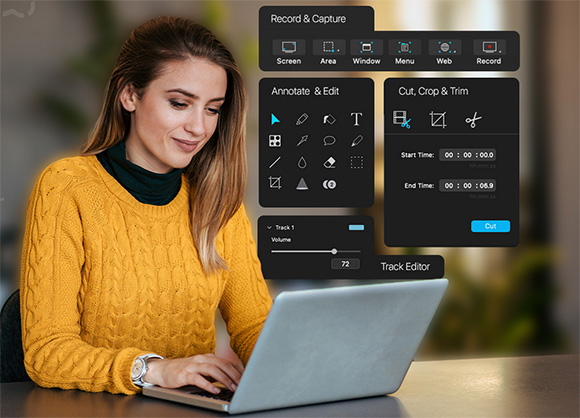
Capto is a new screen capture, screen recording & editing app suite that’s perfect for creating informative and compelling captures. Design Professional Tutorials, Vlogs, Educational Lessons, Design Concepts, and more.
With an intuitive interface and powerful toolset, you get to effortlessly create and edit videos, annotate images, organize files and simply share them the way you want! The all-in-one screen recording and video editing solution that iss tried, tested, and trusted by all.
Capto makes creating tutorials, presentations, and demonstrations a breeze. Try it for free today!
Screen Recorder
Capture your screen in all its high-definition glory along with clear audio! By doing so at a smooth 60 FPS, you get sharp and clear recordings that look great on any device.
Video Recorder
Make professional tutorial videos, amazing reaction videos and informative how-to videos with the new video recording feature of Capto. You may also use external recording devices for added flexibility.
Video Editor
Make your screen recordings look professional. Capto powerful video editing suite gives you all the tools necessary to perfect your screen recordings, post-capture.
Screen and Web Capture
Capto's options allow for effortless capturing of screenshots in different ways. Capture fullscreen or just select parts as required. You can also save a whole webpage in one click!
Image Editor
Expand and build upon captured screenshots with Capto image editing features. Annotate, correct, or adjust the properties of the image and make them informative and easy to comprehend.
Dual Audio Editor
Capto allows you to individually edit the audio coming from your system and from the microphone, thus adding impact and perfection to the quality of output.
iOS Screen Recording
Video record your iPhone or iPad's screen by connecting it to a Mac running Capto. Capture, add a voiceover and edit them to instantly create tutorials.
File Management
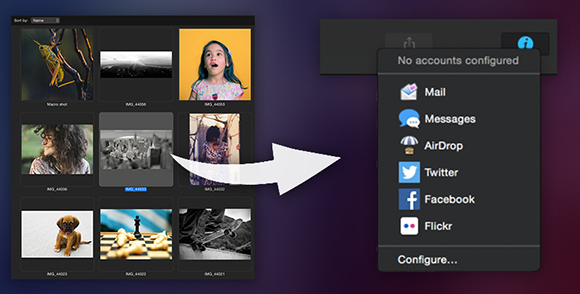
Capto has the best file management structure for quick searches. Your screen captures and recordings are placed in easy-to-spot folders by default. You can also add custom rules to place captures in folders of your choice.
Easy Sharing
Upload or share screenshots and screen recordings to Facebook, Tumblr, Dropbox, Evernote, YouTube and more without leaving the app. If you have your own FTP/SFTP setup, upload them in a click!
Capto is fully localized and can be used in Spanish, French, German, Japanese, Portuguese, and Simplified Chinese.
Capto: Screen Capture and Record runs on
Mac OS X
and is available under the
15-day Trial
license
— the installer is 65 MB.
We’ve catalogued it under
Screen Capture.
Help fellow users decide. Share your experience with Capto: Screen Capture and Record.