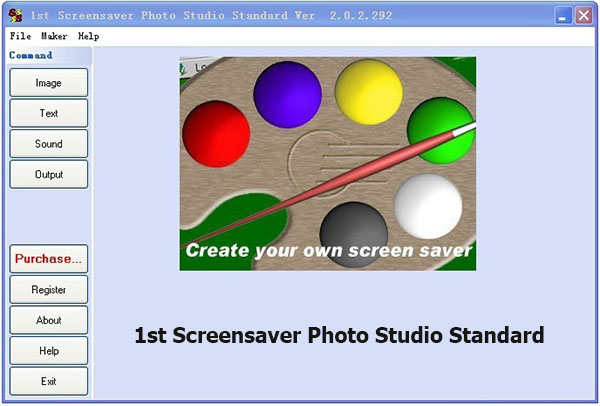
1st Screensaver Photo Studio is a make-your-own photo slide show screen saver for Windows.You can use your own images and pictures as a screen saver. A great utility for digital camera users.Great transition effects, and very easy to use
Main Features
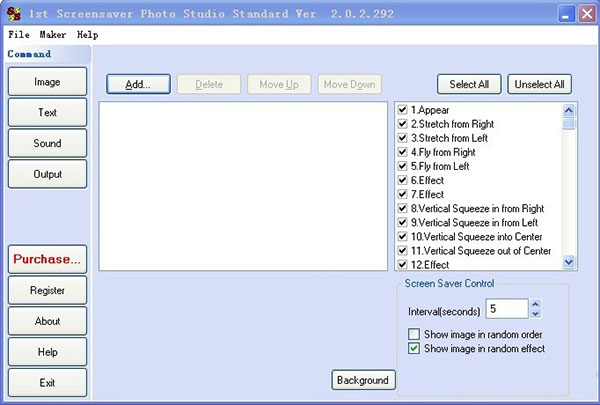
Images and Video Files: Create a slide show type screen savers from your favorite image files (JPEG, GIF and BMP) .
Flash Projector files: Create promotional screen savers from Macromedia Flash animation files.(1st Screensaver Flash Studio only)
Powerpoint files: Create screen savers from Powerpoint files.
Easy to Distribute: Create the screen saver as a single EXE or as a ZIP file that can be easily distributed from a web site or by Email. No additional files are needed to run the screen saver.
Text Support: Display your own text on the images. You can control the font size, color and type.
Sound File Support: Play separate sound files for each of the images or play a single sound file continuously for all the screen saver images. (MP3, WAV & MIDI)
Automated Image Updating: Setup the screen saver to automatically retrieve new images from your web site. (Coming soon...)
Create Wallpapers: Setup the screen saver to install one of your image files as the wallpaper on the user' s desktop. You can also setup the screen saver to randomly change the wallpaper daily.(Coming soon...)
Hyperlinks: Setup hyperlinks to your web site from the screen saver's Settings window and About window. (Professional & Professional Plus Editions)
Trial Version: Create a trial version of the screen saver that can expire after a fixed number of days. Put text on the trial version to promote your web site or to promote full version. (Professional Plus Edition only).
Transition Effects: Many great looking Transition Effects - including Flying Images, Multiple Float, Zoom and Random Mix - with speed control. To see the screen shots of these features, click on the labels below.
Logo Display: Your logo image can be embedded in to the screen saver settings window, installation window and the about window.
Support Presentations with sounds easily.
Add your own personal message in the self-installing screen saver package
Create royalty-free screen saver for commercial and widespread distribution
Supporting .jpg, .gif, .bmp, .emf, .wmf kinds of widely used picture formats, 1st Screensaver Photo Studio can provide high-quality, and multiple services to end users.
Sounds and texts are also supported by 1st Screensaver Photo Studio which will greatly increase Diversity of created screen savers.
Overview
Seguro que alguna vez has recibido un fichero PPT (PowerPoint) por e-mail que te gustaría aprovechar de alguna forma, por las fotos o los textos que contiene. Ahora puedes ponerlo como protector de pantalla en tu PC, gracias a esta aplicación.
1st Screensaver Powerpoint Studio te permite seleccionar tantos ficheros PPT como quieras, en el orden que quieras y, después de añadir música de fondo en formato WAV, MP3 o MID, crear tu salvapantallas personalizado.
Por supuesto, también puedes crear un protector de pantalla corporativo, con el logo de tu empresa y textos promocionales, o cualquier otra cosa que se te ocurra.
Tiene soporte para enlaces a páginas Web, puedes ponerle limitaciones de shareware y guardarlo en formato ZIP o EXE, para una fácil distribución.
Make a screensaver from PowerPoint
Follow the below steps to make a screensaver from PowerPoint only.
- Open your PowerPoint presentation
- Choose File, Save As
- In the "Save as type:" dropdown list box, choose GIF, JPEG or PNG
- Browse to your My Pictures folder (it's inside My Documents)
- Type in a file name and click Save
- When PowerPoint asks if you want to export every slide in the presentation, click Yes.
- When the export completes, you'll have one image file for each slide in your presentation in your My Pictures folder
- Minimize or quit PowerPoint
- Rightclick the Windows desktop and choose Properties
- Click the Screen Saver tab
- In the dropdown listbox under "Screen Saver" choose "My Pictures Slideshow"
- Click Settings if you want to fine-tune the results.
- You screensaver from your presentation is now ready but without animation, transition and sounds.
1st Screensaver PowerPoint Studio runs on
Windows 10/11
and is available under the
Commercial
license
— the installer is 2.4 MB.
We’ve catalogued it under
Miscellaneous Collections.
Help fellow users decide. Share your experience with 1st Screensaver PowerPoint Studio.