Hash : Calculate and compare checksums for files and text using this portable tool with support for MD5, SHA1, SHA256, CRC32 and LRC hashes
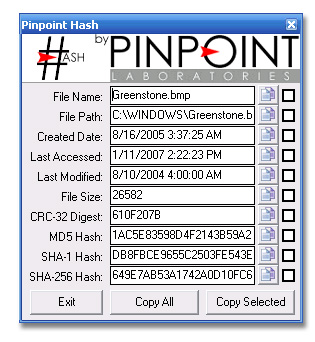
Hash is a simple application that gives you the possibility to calculate the checksums of text and files. It supports MD5, SHA1, SHA256, CRC32 and LRC.
Calculate checksums for files and text
These checksums consist of alphanumerical characters, which are unique for each file or string of characters. They are helpful for determining the integrity of files and messages by comparing two hashes to find out if they match.
Doesn't require installation
Installing this program isn't necessary since it's portable. Instead, you can download the files to any preferred directory on the hard drive and just double-click the .exe to fire up the checksum calculator. It doesn't make changes to the system registry.The graphical window has a plain and simple appearance, as well as a neatly structured layout, showing all options in plain sight. You can get started by choosing the hash input type between file and string.
Browse the disk for a file or paste text
In file mode, you can use the built-in browser to navigate disk directory and select a file whose signatures you want to determine. In text mode, it's only necessary to type or paste the string of characters.After hitting the Enter key, the hash calculator immediately analyzes data to determine all checksums at the same time, so you can check out the MD5, SHA1, SHA256, CRC32 and LRC values in separate fields.
Compare checksums to find matches and mismatches
Hash also has a checksum comparison feature whose goal is to help you figure out if two signatures are identical or different. After making calculations, the values determined by the program are displayed on the right. However, you can paste hashes in the left fields. Matches are represented by blue highlights in the right fields while mismatches remain grey.
Easy-to-use hash calculator and comparison tool
To sum it up, Hash offers a simple solution for helping you not only calculate the MD5, SHA1, SHA256, CRC32 and LRC checksums of files and text but also compare them. Too bad that it doesn't have features for processing multiple files at the same time, loading text from file, or exporting results to file.
Hash runs on
Windows 10/11
and is available under the
Freeware
license
— the installer is 94 KB.
We’ve catalogued it under
General.
Help fellow users decide. Share your experience with Hash.