Overview
What is SuperClip?
SuperClip : Create multiple entries with text strings you frequently use in order to have them at hand every time with this lightweight application
In depth
A closer look at SuperClip
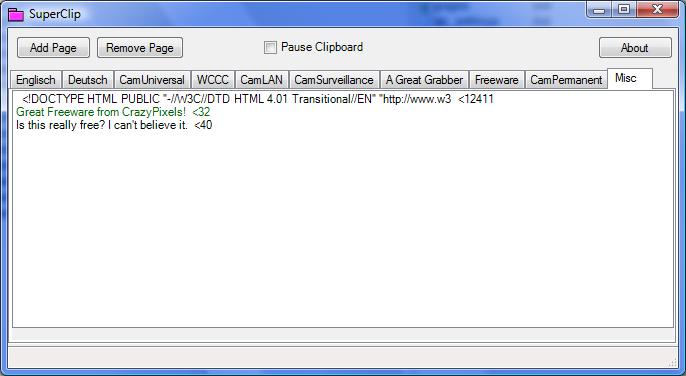
When it comes to copying items from one location to the other, the clipboard is sure to provide sufficient ease. However, it can only store one entry per operation, with no default options to change this. This is exactly where SuperClip comes in handy, allowing you to save more entries in custom groups. It comes in a pretty lightweight package, and doesn’t even require you to go through a setup process to make it work. What is required is for .NET Framework On launch, the application minimizes to the tray area, with a new icon letting you know it’s there. A window also shows up on your desktop, and you need to work with it in order to configure entries. Unfortunately, there’s no hotkey command to instantly bring it up from the tray area in case you want to switch clipboard content.
Requirements
System requirements
Windows 7 / Windows Vista / Windows XP
Verdict
Should you download SuperClip?
SuperClip runs on
Windows 10/11
and is available under the
Freeware
license
— the installer is 205 KB.
We’ve catalogued it under
Word Processing.
✓
Verified clean. Every SuperClip build on SoftLookup is scanned for viruses, spyware, adware, trojans and backdoors. We re-test on every update.
Sponsored
At a glance
SuperClip specifications
- Last updated
- May 1, 2026
- Requirements
- Windows 7 / Windows Vista / Windows XP
- License
- Freeware
- Operating system
- Windows 10/11
- File size
- 205 KB
- Price
- Free
- Page views
- 553
Help fellow users decide. Share your experience with SuperClip.