Overview
What is VinylStudio?
VinylStudio - Convert records and tapes to different audio formats so as to transfer music on your vinyl albums to your PC and listen to it using a player
In depth
A closer look at VinylStudio
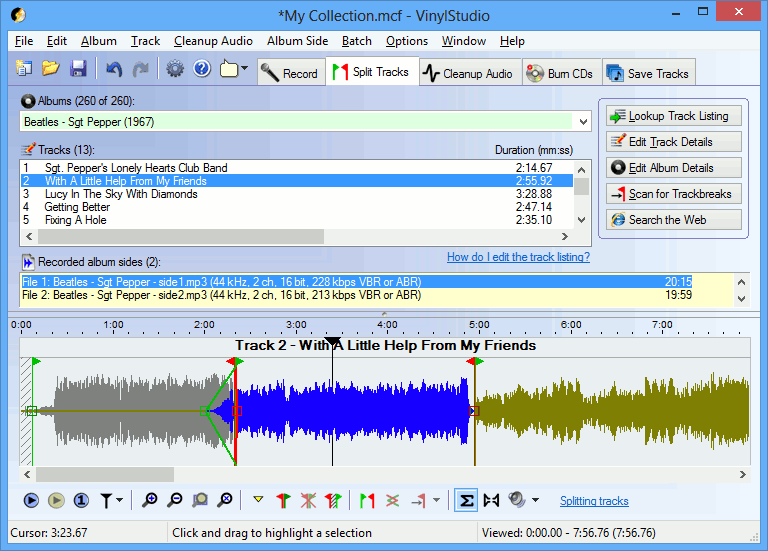
VinylStudio The design of the interface is outdated, closely resembling the classical one used in Windows 98 or 95. Aside from this, the UI is not so intuitive, as it has a lot of options and shortcut buttons all over the place that may become confusing to novice users. The main window is built in a tabbed-like display that enables you to record and split tracks, clean up songs, burn CDs or DVDs, and save tracks to a custom location on the hard disk or directly to your MP3 player.
Requirements
System requirements
Windows 10 64 bit / Windows 10 / Windows 8 64 bit / Windows 8 / Windows 7 64 bit / Windows 7 / Windows Vista 64 bit / Windows Vista / Windows XP 64 bit / Windows XP
Verdict
Should you download VinylStudio?
VinylStudio runs on
Windows 10/11
and is available under the
Demo
license
— the installer is 4.5 MB.
We’ve catalogued it under
Audio Video.
✓
Verified clean. Every VinylStudio build on SoftLookup is scanned for viruses, spyware, adware, trojans and backdoors. We re-test on every update.
Sponsored
At a glance
VinylStudio specifications
- Last updated
- May 1, 2026
- Requirements
- Windows 10 64 bit / Windows 10 / Windows 8 64 bit / Windows 8 / Windows 7 64 bit / Windows 7 / Windows Vista 64 bit / Windows Vista / Windows XP 64 bit / Windows XP
- License
- Demo
- Operating system
- Windows 10/11
- File size
- 4.5 MB
- Price
- $19.95
- Page views
- 660
Help fellow users decide. Share your experience with VinylStudio.