Overview
What is Scanned Text Editor?
Scanned Text Editor : Edit the content of scanned documents or PDF files by changing the text or adding a picture without altering the layout or the quality
In depth
A closer look at Scanned Text Editor
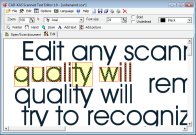
Scanned Text Editor is an application that can help you edit scanned files, while maintaining the original quality of your documents. The user interface is clean and it doesn’t take a lot of time to get used to working with such a tool. Unfortunately, you cannot drag and drop the documents into the main window, so you should add them using the built-in browse button. The application supports a wide array of file formats, such as: BMP, DIB, GIF, IFF, JIF, JPG, LBM, PCX, RLE, TGA, TIF, PNG, and others.
Verdict
Should you download Scanned Text Editor?
Scanned Text Editor runs on
Windows 10/11
and is available under the
Demo
license
— the installer is 1 MB.
We’ve catalogued it under
Word Processing.
✓
Verified clean. Every Scanned Text Editor build on SoftLookup is scanned for viruses, spyware, adware, trojans and backdoors. We re-test on every update.
Sponsored
At a glance
Scanned Text Editor specifications
- Last updated
- May 1, 2026
- License
- Demo
- Operating system
- Windows 10/11
- File size
- 1 MB
- Price
- $79
- Page views
- 622
Help fellow users decide. Share your experience with Scanned Text Editor.