Overview
What is Reallusion FaceFilter Xpress?
Reallusion FaceFilter Xpress : A cross-platform and intuitive application that allows users to change the face expression from their photos, by offering many preset facial expressions to choose from, as well as user-defined ones
In depth
A closer look at Reallusion FaceFilter Xpress
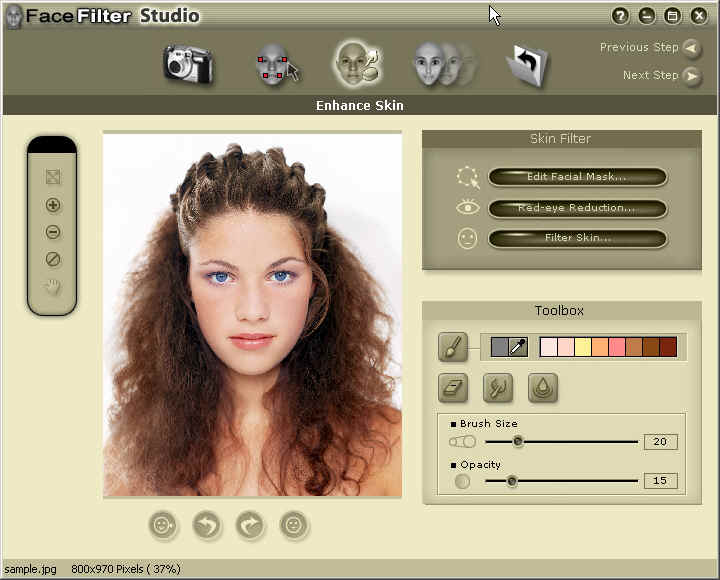
Reallusion FaceFilter Xpress is a graphic editing tool that gives users the possibility of changing the face expression from their photos.It boasts a clean and intuitive interface that can be mastered even by less experienced users. The program works with a total of three file formats, namely BMP, JPG and GIF.Thanks to its step-by-step approach, the entire editing process seems nothing but a piece of cake. Unfortunately, you cannot drag and drop the files directly into the primary panel, so you should use the built-in browse button instead. It is possible to zoom in or out, rotate the picture, select the face area, as well as adjust the level of brightness, contrast, hue and saturation.Furthermore, this cross-platform application enables users to apply four primary markers for changing the face expression. The secondary markers can be easily selected and dragged with the use of the mouse cursor, while the generated results can be previewed in a dedicated window.Reallusion FaceFilter Xpress provides several preset facial expressions to choose from (e.g. young, tender, cool, confident, angry, mean), but you can also create a user-defined one by adjusting the head shape (proportion and width) and facial features (left and right brow, eyes, nose). Any unnecessary adjustments can be easily rolled back.At the end of the task, you can save the results to BMP, JPG or GIF, copy the image to the Clipboard, zoom in or out, and fit the image to the screen.In conclusion, Reallusion FaceFilter Xpress proves to be a reliable tool that comes packed with useful features and a clean layout for helping you edit the face expressions from your photos. It’s easy to work with and suitable for beginners and experts alike.
Verdict
Should you download Reallusion FaceFilter Xpress?
Reallusion FaceFilter Xpress runs on
Windows 10/11
and is available under the
Freeware
license
— the installer is 6.5 MB.
We’ve catalogued it under
Graphics Conversion.
✓
Verified clean. Every Reallusion FaceFilter Xpress build on SoftLookup is scanned for viruses, spyware, adware, trojans and backdoors. We re-test on every update.
Sponsored
At a glance
Reallusion FaceFilter Xpress specifications
- Last updated
- Nov 16, 2025
- License
- Freeware
- Operating system
- Windows 10/11
- File size
- 6.5 MB
- Price
- Free
- Page views
- 1104
Help fellow users decide. Share your experience with Reallusion FaceFilter Xpress.