Overview
What is Network Icon Library?
Network Icon Library : Collection of over 380 network-related icons in different file types and sizes, 256 color and full-color transparency, with and without shadow
In depth
A closer look at Network Icon Library
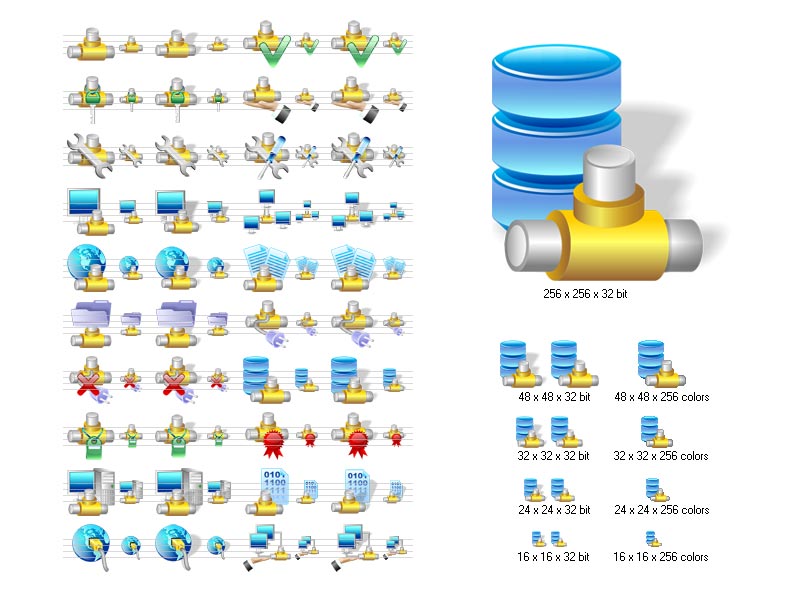
Network Icon Library is an icon set that depicts the computer networking theme and adopts the style of Windows 7/Vista. It contains over 380 icons of different file types and sizes, with each icon being drawn in two versions: with and without shadow. Among these icons, you can find network connection, key, support, group, global network, certificate, status, data transfer, traffic, connection repair, disconnect, cell network, wireless, and sniffer. However, the downloaded package is a demo that contains only three icons: cable, network data and network ID. There's also a graphic file that reveals all icons included in the registered edition so you can get a preview. When it comes to the image types, Network Icon Library offers support for BMP, GIF, ICO, and PNG. The pictures are organized in different folders by format and subfolders by size. When it comes to the resolutions, you can pick from 16x16, 24x24, 32x32, 48x48 and 256x256 pixels. Moreover, you can choose between 256-color icons (for older Windows) and full-color transparency icons (for newer Windows).
Verdict
Should you download Network Icon Library?
Network Icon Library runs on
Windows 10/11
and is available under the
Demo
license
— the installer is 10.4 MB.
We’ve catalogued it under
Graphics Conversion.
✓
Verified clean. Every Network Icon Library build on SoftLookup is scanned for viruses, spyware, adware, trojans and backdoors. We re-test on every update.
Sponsored
At a glance
Network Icon Library specifications
- Last updated
- Nov 14, 2025
- License
- Demo
- Operating system
- Windows 10/11
- File size
- 10.4 MB
- Price
- $199
- Page views
- 1016
Help fellow users decide. Share your experience with Network Icon Library.