Overview
What is Drive Blocker?
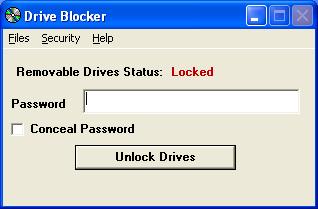
Block & disable removable drives (flash drives, etc.) & drives that use removable disks (CD's, floppies). User selected password required to access removable media. Stop data theft, installation of unauthorized software. Reduce virus infections.
In depth
A closer look at Drive Blocker
Disk Blocker disables any removable drives (flash drives, etc.) connected to your computer and drives that use removable disks (CD's, floppies). Drives can be enabled with a user selected password you set up when you install Disk Blocker. Stop data theft, installation of unauthorized software. Reduce infections of viruses, worms, trojans caused by people inserting infected disks.
Verdict
Should you download Drive Blocker?
Drive Blocker runs on
Windows 10/11
and is available under the
Shareware
license
— the installer is 835 KB.
We’ve catalogued it under
General.
✓
Verified clean. Every Drive Blocker build on SoftLookup is scanned for viruses, spyware, adware, trojans and backdoors. We re-test on every update.
Sponsored
At a glance
Drive Blocker specifications
- Last updated
- Mar 7, 2025
- License
- Shareware
- Operating system
- Windows 10/11
- File size
- 835 KB
- Price
- $20
- Page views
- 533
Help fellow users decide. Share your experience with Drive Blocker.