Overview
What is VisualCron?
VisualCron - Automation tool that provides advanced file/script execution, document transfer, desktop macro recording, as well as SQL execution and monitoring
In depth
A closer look at VisualCron
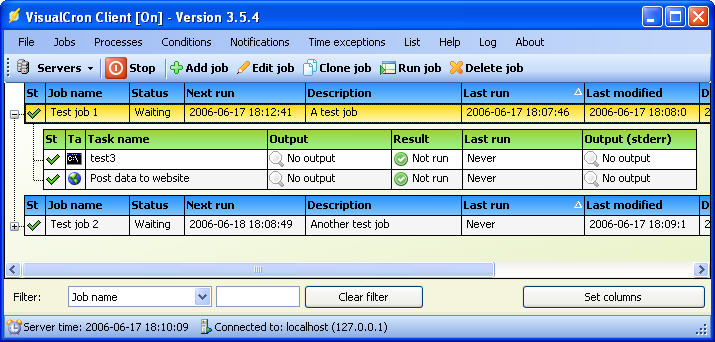
VisualCron Based on a server-client architecture, VisualCron enables you to control it via the system tray menu. The server runs as a Windows service, remembering and performing all tasks, even if no user is logged in, while the client is the one you can use to define new tasks and manage existing ones. Experienced developers can make use of the VisualCron API to execute tasks against the server within their own application. The purpose of VisualCron is to save you the time needed to perform common tasks manually. Once configured, it runs unattended and performs the scheduled tasks, provided conditions are met.
Requirements
System requirements
Windows 10 64-bit / Windows 10 / Windows Server 2012 / Windows 2008 64-bit / Windows 2008 / Windows 2003 / Windows 8 64-bit / Windows 8 / Windows 7 64-bit / Windows 7 / Windows Vista 64-bit / Windows Vista / Windows XP 64-bit / Windows XP
Verdict
Should you download VisualCron?
VisualCron runs on
Windows 10/11
and is available under the
Time-limited Trial
license
— the installer is 191 MB.
We’ve catalogued it under
Automation Tools.
✓
Verified clean. Every VisualCron build on SoftLookup is scanned for viruses, spyware, adware, trojans and backdoors. We re-test on every update.
Sponsored
At a glance
VisualCron specifications
- Last updated
- Jan 12, 2025
- Requirements
- Windows 10 64-bit / Windows 10 / Windows Server 2012 / Windows 2008 64-bit / Windows 2008 / Windows 2003 / Windows 8 64-bit / Windows 8 / Windows 7 64-bit / Windows 7 / Windows Vista 64-bit / Windows Vista / Windows XP 64-bit / Windows XP
- License
- Time-limited Trial
- Operating system
- Windows 10/11
- File size
- 191 MB
- Price
- $57
- Page views
- 1019
Help fellow users decide. Share your experience with VisualCron.