Overview
What is Sib Icon Converter?
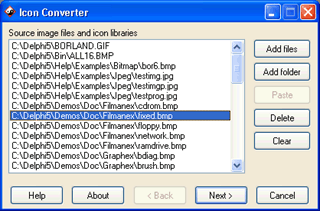
Sib Icon Converter allows you to convert multiple digital images and photos to Windows icons in one action. It also breaks down entire icon libraries into individual icons. You can change color resolution and size to create customized icons.
In depth
A closer look at Sib Icon Converter
Sib Icon Converter converts Mac OS icons, BMP, JPEG, GIF, PNG, PSD, WMF, PCX, TIFF, WBMP, XPM, XBM and CUR formats into multi-resolution Windows icons. You can add files and folders from Windows Explorer or other file shells using drag and drop. You also can paste bitmaps from the clipboard and change color resolution and size to create customized icons. It's possible to convert 256-color icons into True Color icons and vice versa. Smooth resampling is supported.
Requirements
System requirements
32 MB RAM, Pentium-233 MHz, 8 MB Hard Disk
Verdict
Should you download Sib Icon Converter?
Sib Icon Converter runs on
Windows 10/11
and is available under the
Shareware
license
— the installer is 1210 KB.
We’ve catalogued it under
Desktop Tools.
✓
Verified clean. Every Sib Icon Converter build on SoftLookup is scanned for viruses, spyware, adware, trojans and backdoors. We re-test on every update.
Sponsored
At a glance
Sib Icon Converter specifications
- Last updated
- Feb 14, 2025
- Requirements
- 32 MB RAM, Pentium-233 MHz, 8 MB Hard Disk
- License
- Shareware
- Operating system
- Windows 10/11
- File size
- 1210 KB
- Price
- $19.95
- Page views
- 612
Help fellow users decide. Share your experience with Sib Icon Converter.