Overview
What is Easy Task Schedules with Excel?
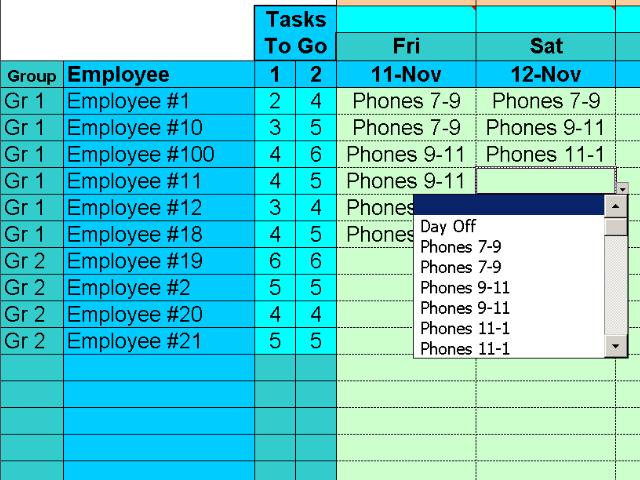
Specify up to 50 daily tasks and then assign them to up to 25 people using drop-down menus of available tasks. Tasks are removed from the menu as they are assigned and when the menu is empty you are done. Keeps track of tasks for 3 different groups
In depth
A closer look at Easy Task Schedules with Excel
The Easy Task Scheduler saves you headaches and time by allowing you to simply specify up to 50 daily tasks and then assign them to up to 25 people using drop-down menus of available tasks. Tasks are removed from the menu as they are assigned and when the menu is empty you are done for the day. Repeat a few times and before you know it you have easily created a 2 week schedule. The program keeps track of tasks for 3 different groups of employees.
Requirements
System requirements
Excel 97 or later
Verdict
Should you download Easy Task Schedules with Excel?
Easy Task Schedules with Excel runs on
Cross Platform
and is available under the
Shareware
license
— the installer is 683 KB.
We’ve catalogued it under
Project Management.
✓
Verified clean. Every Easy Task Schedules with Excel build on SoftLookup is scanned for viruses, spyware, adware, trojans and backdoors. We re-test on every update.
Sponsored
At a glance
Easy Task Schedules with Excel specifications
- Last updated
- Apr 28, 2026
- Requirements
- Excel 97 or later
- License
- Shareware
- Operating system
- Cross Platform
- File size
- 683 KB
- Price
- $149
- Page views
- 597
Help fellow users decide. Share your experience with Easy Task Schedules with Excel.