Overview
What is GE-Path?
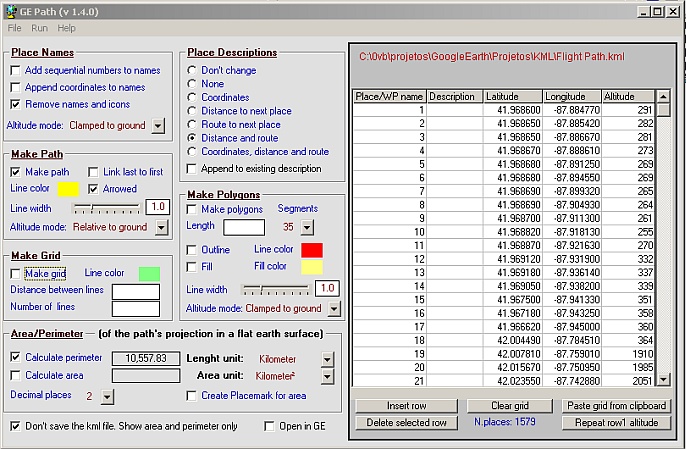
GE-Path was developed to make paths and/or draw circles and polygons with place marks saved by Google Earth. The data can also be typed into the application or pasted/exported to the clipboard. Files generated by GE-Path are exported to Google
In depth
A closer look at GE-Path
GE-Path was developed to make paths and/or draw circles and polygons with place marks saved by Google Earth. The data can also be typed into the application or pasted/exported to the clipboard. Files generated by GE-Path are exported to Google Earth.
Verdict
Should you download GE-Path?
GE-Path runs on
Windows 10/11
and is available under the
Freeware
license
— the installer is 1857 KB.
We’ve catalogued it under
Geography.
✓
Verified clean. Every GE-Path build on SoftLookup is scanned for viruses, spyware, adware, trojans and backdoors. We re-test on every update.
Sponsored
At a glance
GE-Path specifications
- Last updated
- Apr 28, 2026
- License
- Freeware
- Operating system
- Windows 10/11
- File size
- 1857 KB
- Price
- Free
- Page views
- 1119
Help fellow users decide. Share your experience with GE-Path.