Overview
What is Database Gate?
Database Gate is SQL editor able to connect to every kind of database using ODBC with many tools.
In depth
A closer look at Database Gate
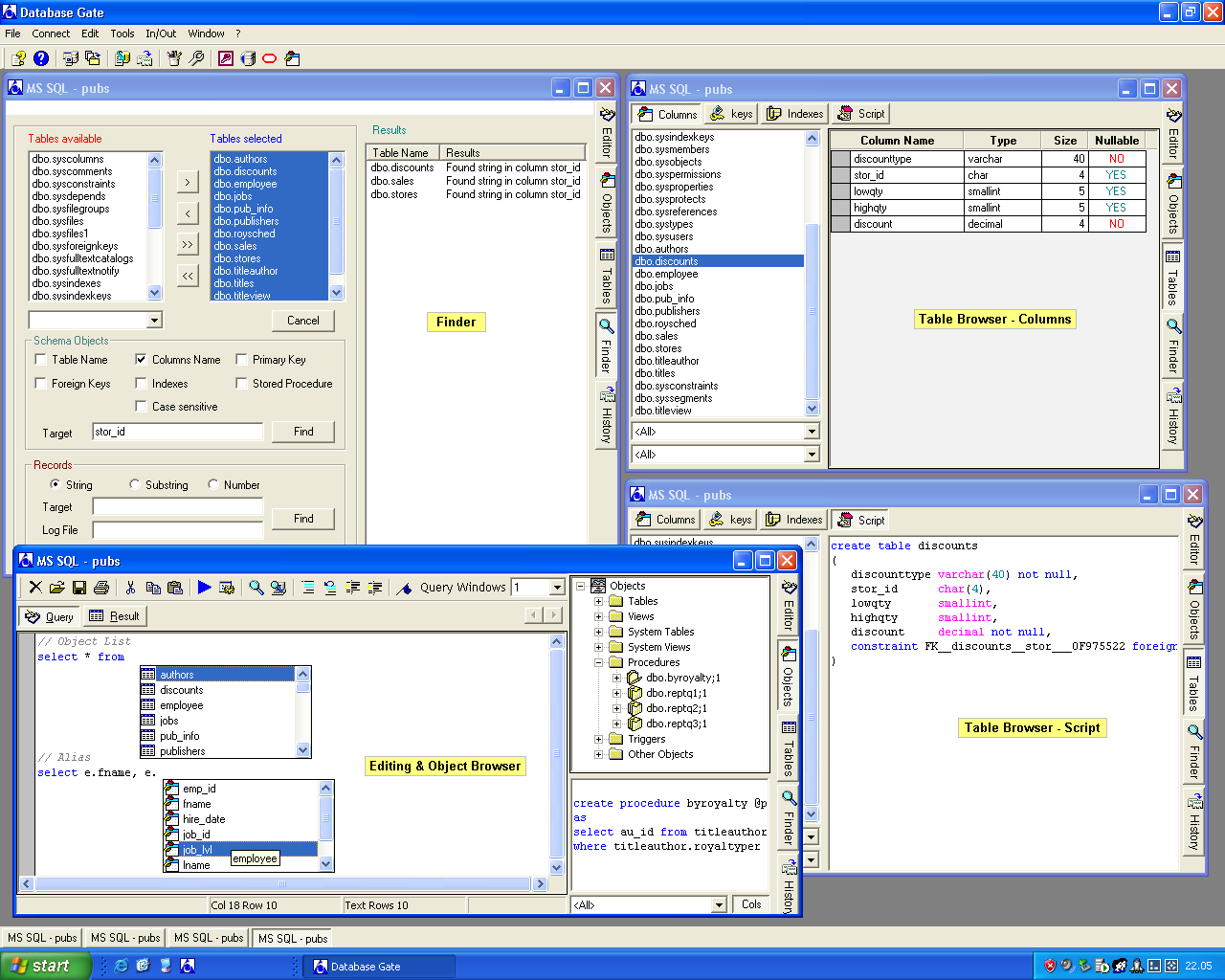
Database Gate is SQL editor able to connect to every kind of database using ODBC. You can write and execute queries, create, alter or drop tables, execute stored procedures, get information about all the objects in the database, the columns list/primary or foreign keys/indexes of a table with the Object and Table browser, export/import data, also in HTML, with or without transaction.Database Gate allows you to connect to different kind of database at the same time and helps you in editing, there are useful shortcuts to minimize the writing of standard SQL statements and formatting text tools. You have also custom shortcuts by using the macro keys. The Syntax Highlighting, Words and Context Completation helps you in writing your SQL statements. With the batch language you can do in automatic way particular tasks. With the Finder function you can look for objects in the database using many different criteria. Schema Diff finds the difference between two data source. Database Gate needs only ODBC 32 bit support installed in the system.
Requirements
System requirements
ODBC 32 bit support installed in the system.
Verdict
Should you download Database Gate?
Database Gate runs on
Windows 10/11
and is available under the
Demo
license
— the installer is 432 KB.
We’ve catalogued it under
Source Code.
✓
Verified clean. Every Database Gate build on SoftLookup is scanned for viruses, spyware, adware, trojans and backdoors. We re-test on every update.
Sponsored
At a glance
Database Gate specifications
- Last updated
- Feb 17, 2025
- Requirements
- ODBC 32 bit support installed in the system.
- License
- Demo
- Operating system
- Windows 10/11
- File size
- 432 KB
- Price
- $19
- Page views
- 575
Help fellow users decide. Share your experience with Database Gate.