Overview
What is Select to Excel?
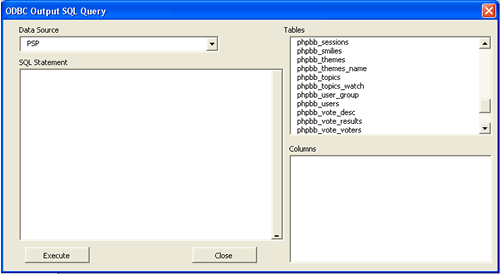
This small Excel macro allows you to execute SQL commands on any ODBC data source directly in Excel and will paste the results in an Excel sheet where you can sort, filter and further manipulate the data.
In depth
A closer look at Select to Excel
This small Excel macro allows you to execute SQL commands on any ODBC data source directly in Excel and will paste the results in an Excel sheet where you can sort, filter and further manipulate the data. Useful to quickly extract data from a database and manipulate it within excel. No need to copy and paste large sets of data from other programs to gain the full functionality of Excel.
Requirements
System requirements
MS Excel 97 or higher
Verdict
Should you download Select to Excel?
Select to Excel runs on
Windows 10/11
and is available under the
Freeware
license
— the installer is 21 KB.
We’ve catalogued it under
Databases.
✓
Verified clean. Every Select to Excel build on SoftLookup is scanned for viruses, spyware, adware, trojans and backdoors. We re-test on every update.
Sponsored
At a glance
Select to Excel specifications
- Last updated
- Jan 4, 2025
- Requirements
- MS Excel 97 or higher
- License
- Freeware
- Operating system
- Windows 10/11
- File size
- 21 KB
- Price
- Free
- Page views
- 552
Help fellow users decide. Share your experience with Select to Excel.