Overview
What is Inactive Shut Down Control for MS Access?
Inactive Shut Down Control for MS Access : Shut down an MS Access application automatically after a period of inactivity
In depth
A closer look at Inactive Shut Down Control for MS Access
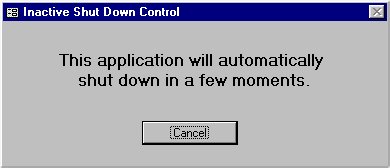
Inactive Shut Down Control is a hidden MS Access A warning message will appear and the application shuts down when the period of inactivity exceeds a specified limit. It is easy to use, just import a form into your application, set the period of inactivity before shut down, and open the form in hidden mode from your application startup procedure.
Verdict
Should you download Inactive Shut Down Control for MS Access?
Inactive Shut Down Control for MS Access runs on
Windows 10/11
and is available under the
Freeware
license
— the installer is 401 KB.
We’ve catalogued it under
Word Processing.
✓
Verified clean. Every Inactive Shut Down Control for MS Access build on SoftLookup is scanned for viruses, spyware, adware, trojans and backdoors. We re-test on every update.
Sponsored
At a glance
Inactive Shut Down Control for MS Access specifications
- Last updated
- Mar 3, 2025
- License
- Freeware
- Operating system
- Windows 10/11
- File size
- 401 KB
- Price
- Free
- Page views
- 714
Help fellow users decide. Share your experience with Inactive Shut Down Control for MS Access.