Overview
What is Access Controller?
Desktop locking security utility to protect desktop when you are not near PC. Password protection can be automatically activated on boot or with a click of an icon in the system tray. Log access attempts and enforce a custom background image.
In depth
A closer look at Access Controller
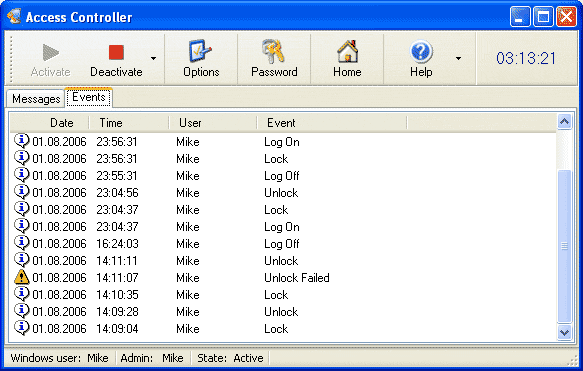
Access Controller is a desktop locking security utility you can use to protect your desktop when you are not near your PC. To activate protection, define a password in Options, and select the Lock command. Password protection can be automatically activated on boot or with a click of an icon in the system tray. You can also log access attempts and enforce a custom background image. Access Controller supports a simple messaging system to allow your visitors to leave short messages on your locked desktop. Access Controller gives you two locking methods: with hiding your desktop and using a screen saver; and without hiding to allow others to see what is happening on your desktop. The second method is good for showrooms where you need to demonstrate something to your customers.
Verdict
Should you download Access Controller?
Access Controller runs on
Windows 10/11
and is available under the
Shareware
license
— the installer is 806 KB.
We’ve catalogued it under
Privacy and Access Control.
✓
Verified clean. Every Access Controller build on SoftLookup is scanned for viruses, spyware, adware, trojans and backdoors. We re-test on every update.
Sponsored
At a glance
Access Controller specifications
- Last updated
- Mar 12, 2025
- License
- Shareware
- Operating system
- Windows 10/11
- File size
- 806 KB
- Price
- $29
- Page views
- 410
Help fellow users decide. Share your experience with Access Controller.