Overview
What is Free Learn Addition on Orbital One?
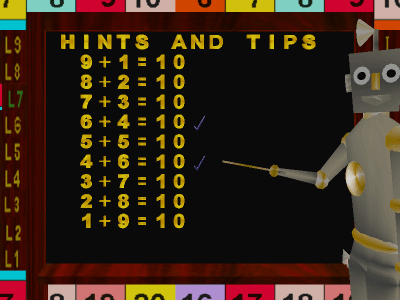
Learn basic addition in 3D on Orbital One space station. Also includes 27 tests to ensure you understand the lessons. Free Learn Addition is the addition topic of Learn Math 3D on Orbital One made in to a fully functional stand alone program.
In depth
A closer look at Free Learn Addition on Orbital One
Free Learn Addition contains eight lessons on basic addition and you learn them on board the Orbital One space station. To ensure you have grasped the subject 27 tests have been included. Free Learn Addition is the addition topic of Learn Math 3D on Orbital One made in to a fully functional stand alone program. A handy feature is the ability to pick up the 3D numbers and place them onto the board where the answer can be checked automatically. A great feature are the workout lessons, these are randomly created sums the student can either answer or watch the computer answer.The tests results can be checked and printed out using the results software included. The programs 3D help section is included but does not contain sound. A large HTML help file and easy to use controls should help the student get up to speed quickly.
Requirements
System requirements
DirectX 7.0 and above. 64MB video card
Verdict
Should you download Free Learn Addition on Orbital One?
Free Learn Addition on Orbital One runs on
Windows 10/11
and is available under the
Freeware
license
— the installer is 16396 KB.
We’ve catalogued it under
Counting and Math.
✓
Verified clean. Every Free Learn Addition on Orbital One build on SoftLookup is scanned for viruses, spyware, adware, trojans and backdoors. We re-test on every update.
Sponsored
At a glance
Free Learn Addition on Orbital One specifications
- Last updated
- Feb 22, 2025
- Requirements
- DirectX 7.0 and above. 64MB video card
- License
- Freeware
- Operating system
- Windows 10/11
- File size
- 16396 KB
- Price
- Free
- Page views
- 490
Help fellow users decide. Share your experience with Free Learn Addition on Orbital One.