Overview
What is PageFocus Draw?
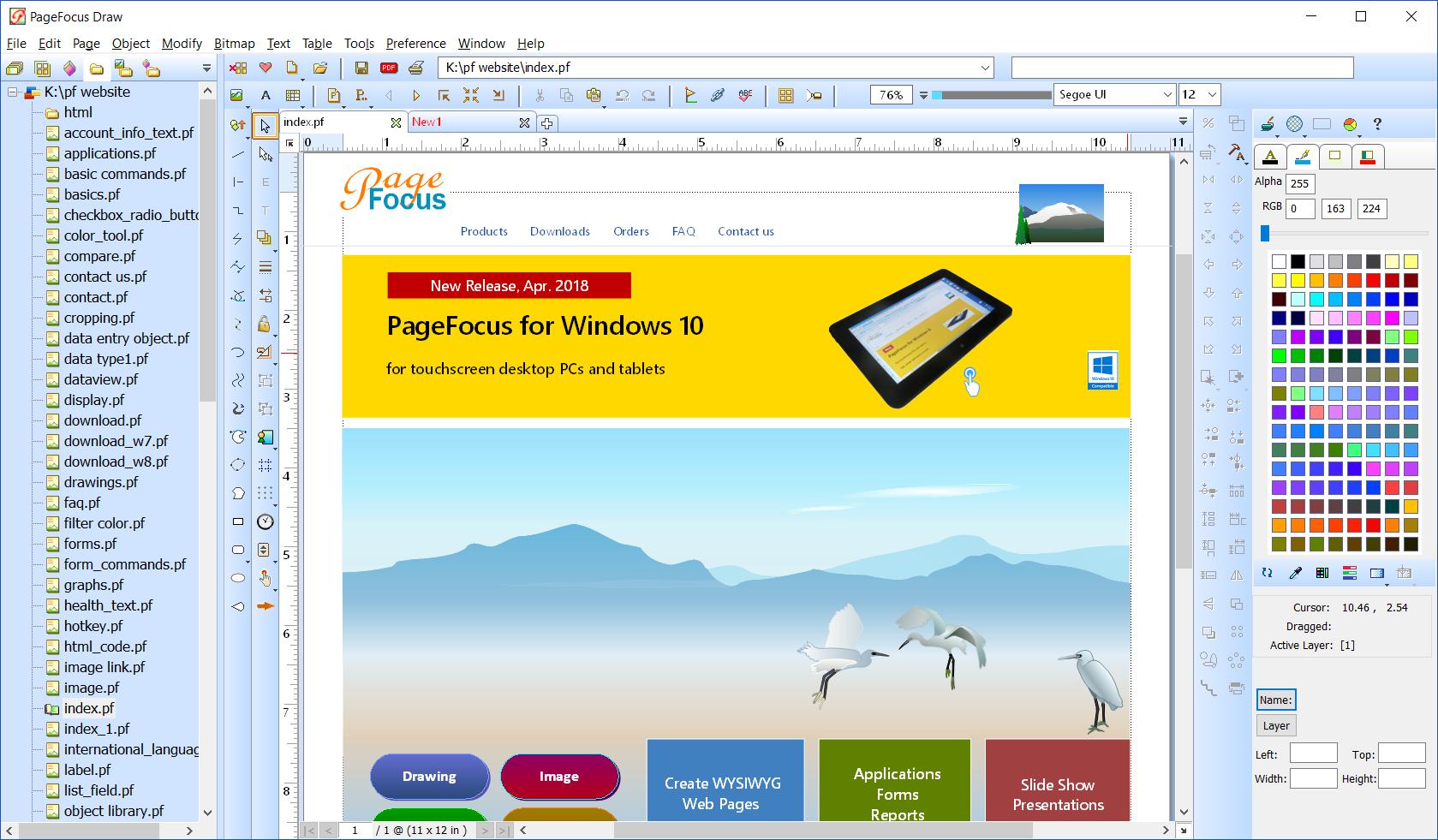
A practical drawing/desktop-publishing program. Supports spell-check (English/Spanish), vector drawing, import/export/edit of image and PDF files, multi-column and curved text, and tables. Great for creating brochures, graphics. Double-byte enabled.
In depth
A closer look at PageFocus Draw
An easy-to-use, yet powerful drawing, and desktop publishing program. Supports multiple page document, spell-check, vector drawing, import and export of image and PDF files, multi-column and curved text, and tables. Works seamlessly with open source Ghostscript for importing and exporting PDF files. The program has library management and project management functions for managing your creations. Great for creating brochures, e-book, graphics, labels, forms and pattern graphics. Supports double-byte (multi-language) and right-to-left texts. The created files are compatible to our advanced form and database applications. A free reader, PageFocus Reader is available for viewing and printing the created files.This version supports spell-check of American English and Spanish Languages. A separate international version adds spell-checks of British English, Dutch, Finnish, French, German, Italian, Spanish, and Swedish.
Requirements
System requirements
Pentium 200, 128 Mb RAM, 200 Mb Drive
Verdict
Should you download PageFocus Draw?
PageFocus Draw runs on
Windows 10/11
and is available under the
Shareware
license
— the installer is 3907 KB.
We’ve catalogued it under
Graphics Editing and Painting.
✓
Verified clean. Every PageFocus Draw build on SoftLookup is scanned for viruses, spyware, adware, trojans and backdoors. We re-test on every update.
Sponsored
At a glance
PageFocus Draw specifications
- Last updated
- Mar 12, 2025
- Requirements
- Pentium 200, 128 Mb RAM, 200 Mb Drive
- License
- Shareware
- Operating system
- Windows 10/11
- File size
- 3907 KB
- Price
- $35
- Page views
- 601
Help fellow users decide. Share your experience with PageFocus Draw.