Overview
What is RemoteMemoryInfo?
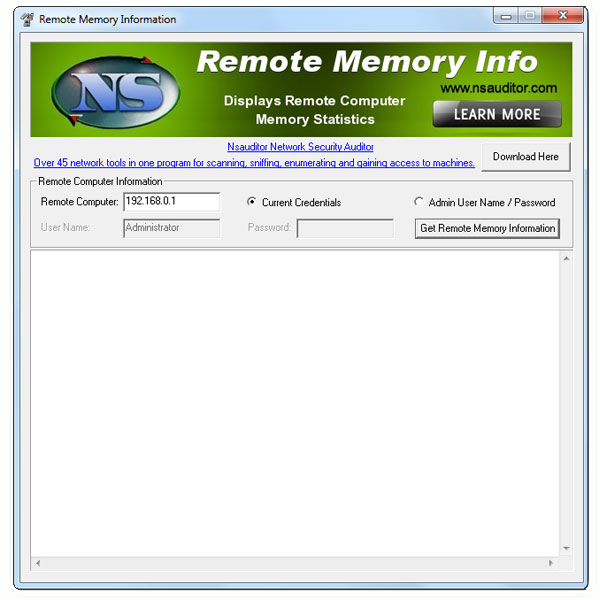
RemoteMemoryInfo displays remote network computer memory usage and statistics. You must have administrative privileges on the remote network computer. All the mentioned features are provided with a user friendly graphical interface.
In depth
A closer look at RemoteMemoryInfo
RemoteMemoryInfo displays remote network computer memory usage and statistics, Page Faults/sec, Available Bytes, Committed Bytes, Commit Limit, Write Copies/sec, Transition Faults/sec, Cache Faults/sec, Demand Zero Faults/sec, Pages/sec, Pages Input/sec, Page Reads/sec, Pages Output/sec, Pool Paged Bytes, Pool Nonpaged Bytes, Page Writes/sec, Pool Paged Allocs, Pool Nonpaged Allocs, Free System Page Table Entries, Cache Bytes, Cache Bytes Peak, Pool Paged Resident Bytes, System Code Total Bytes, System Code Resident Bytes, System Driver Total Bytes, System Driver Resident Bytes, System Cache Resident Bytes, Committed Bytes In Use, Available KBytes, Available MBytes. You must have administrative privileges on the remote network computer. All the mentioned features are provided with a user friendly graphical interface.
Verdict
Should you download RemoteMemoryInfo?
RemoteMemoryInfo runs on
Windows 10/11
and is available under the
Freeware
license
— the installer is 436 KB.
We’ve catalogued it under
General.
✓
Verified clean. Every RemoteMemoryInfo build on SoftLookup is scanned for viruses, spyware, adware, trojans and backdoors. We re-test on every update.
Sponsored
At a glance
RemoteMemoryInfo specifications
- Last updated
- Mar 12, 2025
- License
- Freeware
- Operating system
- Windows 10/11
- File size
- 436 KB
- Price
- Free
- Page views
- 408
Help fellow users decide. Share your experience with RemoteMemoryInfo.