Overview
What is MagicScore School?
MagicScore School - Create amazing music compositions that can awe your audience using the wide variety of inputs and features available with this software solution
In depth
A closer look at MagicScore School
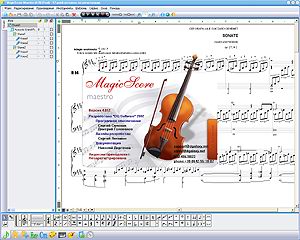
Irrespective of whether you are a music teacher, you are learning to play an instrument or you are an aficionado who wants to know everything about the music you like, chances are that you tried at least once to compose your own music. MagicScore School is a comprehensive application that allows you to create your own music by automatically correcting the inputs you copy, insert, delete or transpose notes separately for instance. While first-time users might get confused or feel intimidated by the abundance of options and features available, the truth is that the interface is structured well in various categories. The main window includes 2 panels, one that allows you to access the compositions you are working on and another pan where you can copy, insert, read and edit notes.
Requirements
System requirements
Windows 10 64-bit / Windows 10 / Windows 8 / Windows 7 / Windows Vista / Windows XP
Verdict
Should you download MagicScore School?
MagicScore School runs on
Windows 10/11
and is available under the
Demo
license
— the installer is 15.7 MB.
We’ve catalogued it under
Audio Players.
✓
Verified clean. Every MagicScore School build on SoftLookup is scanned for viruses, spyware, adware, trojans and backdoors. We re-test on every update.
Sponsored
At a glance
MagicScore School specifications
- Last updated
- Feb 5, 2025
- Requirements
- Windows 10 64-bit / Windows 10 / Windows 8 / Windows 7 / Windows Vista / Windows XP
- License
- Demo
- Operating system
- Windows 10/11
- File size
- 15.7 MB
- Price
- $24.95
- Page views
- 428
Help fellow users decide. Share your experience with MagicScore School.