Overview
What is Always Watching?
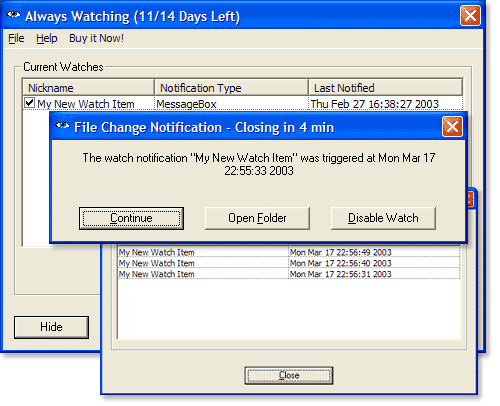
Always Watching! allows you to watch any folder on your file system or available network share. When a change occurs, each watch can notify you independently via a popup window, a flashing tray icon, Windows NetSend, email or by running a program.
In depth
A closer look at Always Watching
Have you ever needed to know exactly when a file or folder changes on your system? Ever needed to monitor log file changes, watch incoming files on a server or simply wanted to monitor changes on a local hard drive or network share? Then Always Watching! is for you!
Verdict
Should you download Always Watching?
Always Watching runs on
Windows 10/11
and is available under the
Shareware
license
— the installer is 1633 KB.
We’ve catalogued it under
Utilities and Tools.
✓
Verified clean. Every Always Watching build on SoftLookup is scanned for viruses, spyware, adware, trojans and backdoors. We re-test on every update.
Sponsored
At a glance
Always Watching specifications
- Last updated
- Feb 24, 2025
- License
- Shareware
- Operating system
- Windows 10/11
- File size
- 1633 KB
- Price
- $29.99
- Page views
- 494
Help fellow users decide. Share your experience with Always Watching.