Overview
What is iMiser Research Assistant?
Add Permanence to the Web with this award-winning software! Save and organize Web pages, links, e-mail, images, selected text, newsgroup messages, and more. Save txt, html, rtf, doc, and pdf files. Add saved data to iMiser Favorites with one click.
In depth
A closer look at iMiser Research Assistant
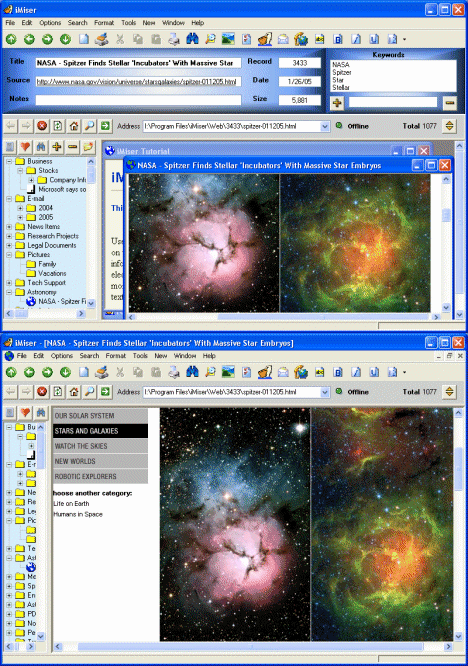
Add Permanence to the Web with this award-winning software! Organizing your online experience was never easier! Save and organize Web pages and links, e-mail, images, selected text, newsgroup messages, and more. Save txt, html, rtf, doc, and pdf files. Highlight important Web page text in yellow or blue. Use iMiser Favorites to quickly organize your Web pages and documents with a single click. Find what you're looking for Fast with two powerful search tools. Return to the source of your saved web pages with a single click. Add notes to personalize your Web pages. E-mail your saved data to a friend. Use the built-in Freeware Web browser to easily and quickly save Web pages, or use your favorite browser. IMiser is the perfect research tool. Add a word to keywords by double-clicking the word. Add a phrase to keywords by right-clicking it. Add a document to Favorites with a single click or add it automatically when saving it. Use the iMiser Web Browser to find data you want and save it directly. After data is saved, go back to the original source with a single click. Save local files from your hard drive. Drag and drop text and image files from your Desktop or Windows Explorer into iMiser. Save text from any drag-enabled program such as your word processor, newsreader or e-mail program. Save and organize any research, any project, any collection, how-to articles, blogs, e-mail, stock info, images, company info, recipes, electronic receipts, tech support info, chat sessions, HTML samples, sports info, code samples, and much more. Most Web pages will eventually change content or disappear completely. Save the facts, images and research you find on the Web before they are gone forever.
Requirements
System requirements
150+ MHz CPU, 16 MB memory, Internet Explorer 5.0+
Verdict
Should you download iMiser Research Assistant?
iMiser Research Assistant runs on
Windows 10/11
and is available under the
Shareware
license
— the installer is 5442 KB.
We’ve catalogued it under
Browsing Tools.
✓
Verified clean. Every iMiser Research Assistant build on SoftLookup is scanned for viruses, spyware, adware, trojans and backdoors. We re-test on every update.
Sponsored
At a glance
iMiser Research Assistant specifications
- Last updated
- Jan 15, 2025
- Requirements
- 150+ MHz CPU, 16 MB memory, Internet Explorer 5.0+
- License
- Shareware
- Operating system
- Windows 10/11
- File size
- 5442 KB
- Price
- $29.95
- Page views
- 426
Help fellow users decide. Share your experience with iMiser Research Assistant.