Overview
What is VapourSynth?
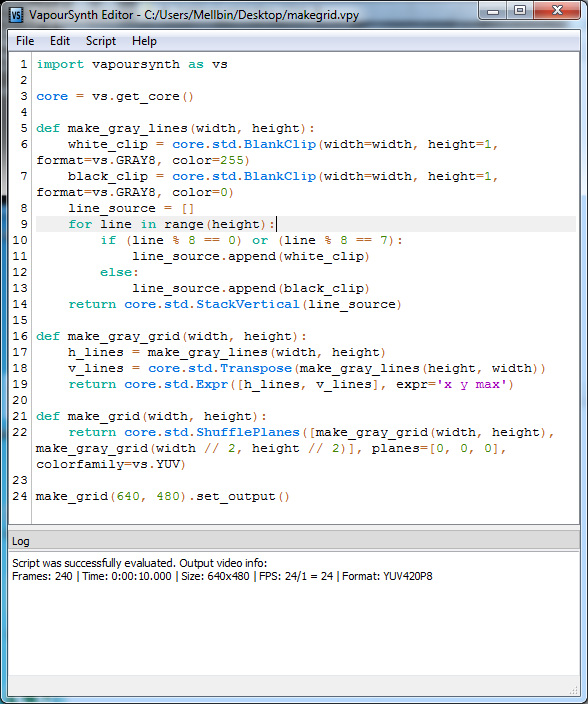
VapourSynth is an easy-to-implement Python component and C++ library that features multithreading and properties editing capabilities, enabling you to create video scripts
In depth
A closer look at VapourSynth
VapourSynth is an application for video manipulation. It has a core library written in C++ and a Python module to allow video scripts to be created. VapourSynth software has been heavily inspired by Avisynth and aims to be a 21st century rewrite, taking advantage of the advancements computers have made since the late 90s. VapourSynth Requires Python!
Considering that the videos are among the few media utensils that just blunt your imagination and give it to you directly, it does not come as a surprise that videos are the preferred means of communication for so many websites and blogs. VapourSynth Then again, before you can manipulate it and load all the plugins you require for your project, you have to retrieve the Core object using the standard command. While it may seem tedious, this step is necessary so you can avoid naming conflicts later on.
VapourSynth Main Features:
1- Multithreaded – Frame level multithreading
2- Generalized Colorspaces – New Colorspaces can be specified at runtime
3- Per Frame Properties – Additional metadata can be attached to frames
4- Python Based – The scripting part is implemented as a Python module so you don’t have have to learn a special language
5- Support for video with format changes – Some video just can’t stick to one format or frame size VapourSynth can handle any kind of change.
VapourSynth - Windows Installation Instructions
1- Download Python 3.7 (32 and/or 64 bit version)
2- Download the installer file from the below download button
3- Test VapourSynth by opening a Python command line and type this:
from vapoursynth import core
print(core.version())
After typing the final line you should see the version printed along with a few other lines describing the options used when instantiating the Core object. If this for some reason fails, there may be a bug in the installer or there are old copies of vapoursynth.pyd and vapoursynth.dll lying around.
Linux and OS X Compilation Instructions and requirements:
- Autoconf, Automake, and Libtool, probably recent versions
- pkg-config
- GCC 4.8 or newer, or Clang
- Nasm
- zimg v2.8 branch
- Python 3
- Cython 0.28 or later installed in your Python 3 environment
- Sphinx for the documentation (optional)
- iconv, libass, and ffmpeg for the Subtext plugin (optional)
- ImageMagick 7 for the Imwri plugin (optional)
- Tesseract 3 for the OCR plugin (optional)
Requirements
System requirements
Windows 10 64-bit / Windows 10 / Windows 8 64-bit / Windows 8 / Windows 7 / Windows Vista / Windows XP
Verdict
Should you download VapourSynth?
VapourSynth runs on
Windows 10/11
and is available under the
Freeware
license
— the installer is 10 MB.
We’ve catalogued it under
General.
✓
Verified clean. Every VapourSynth build on SoftLookup is scanned for viruses, spyware, adware, trojans and backdoors. We re-test on every update.
Sponsored
At a glance
VapourSynth specifications
- Publisher
-
Fredrik Mellbin
- Last updated
- Nov 28, 2023
- Requirements
- Windows 10 64-bit / Windows 10 / Windows 8 64-bit / Windows 8 / Windows 7 / Windows Vista / Windows XP
- License
- Freeware
- Operating system
- Windows 10/11
- File size
- 10 MB
- Price
- Free
- Page views
- 1021
Help fellow users decide. Share your experience with VapourSynth.