Canon MP Navigator EX for Canon PIXMA MP450 : An application to help you scan, save and print photos as well as documents
A useful tool that was designed in order to provide you with the needed tools for managing your scans if you use a Canon PIXMA MP450 device. It will enable you to scan documents, save and print them. You can also edit images, or attach images to e-mail using Canon MP Navigator EX for Canon PIXMA MP450. It is designed to manage jobs related to printer and scanner devices made by Canon. With regards to overseeing peripherals like scanners of printers that are joined to a PC or accessible through a system association for all clients who can get to the LAN, it is dependably a smart thought to utilize the product arrangement given by the equipment producer. In the event that you need to manage such Canon gadgets at home or at work, for instance, you ought to be comfortable with the committed application that passes by the name of Canon MP Navigator EX. In the event that you haven’t utilized it yet, please take note of that it is intended to work just with good equipment, so you should check this first in light of the fact that there are a few shots that it won’t work with simply any gadget.
ENVIRONMENT
Windows 10 (32bit) Windows 10 (64bit) Windows 8.1(32bit) Windows 8.1(64bit) Windows 8(32bit) Windows 8(64bit) Windows 7(32bit) Windows 7(64bit) Windows Vista(32bit) WIndows Vista(64bit) Windows XP SP2 or later Windows 2000 Professional SP4 or later
HISTORY
[Ver.3.06] - Windows 10 has been added as a supported OS. - We have improved the phenomenon that MP Navigator EX couldn’t launch while the specific application was installed. [Ver.3.05] - Windows 8.1 has been added as a supported OS. - Windows 8 has been added as a supported OS. -The following problem has been rectified: When scanning the positive film using the button of the main unit of the printer in the network connection, the function of previewing when scanning film is not available. [Ver.3.04] - Officially supports Windows 7. - Incorporates the model standardization. - The problem that an error occurs at the compression when transferring has been rectified.
CAUTION
1.[MP560 series / MP640 series] - When the device is connected to the network, the access to the memory card from MP Navigator EX cannot be executed if users change the device name in the operation panel of the device. [Preventive action] Change the device name back to the default. NOTE: Some models you see here may not be available in your region. 2.[MP640 series] - When switching the network connection between wireless LAN and wired LAN, the connection between MP Navigator EX and the device is disconnected. [Preventive action] Select the device in Preferences again. NOTE: Some models you see here may not be available in your region. 3.[Windows 7] - Easy Color Matching printing cannot be performed. [Preventive action] Add Add-On module to the printer driver. 4.[Windows 7] - Program Compatibility Assistant is displayed after the installation. [Preventive action] The installation has been completed properly. Select "This Program installed correctly." to close the message.
SETUP
Download / Installation Procedures
1. Download the file. For the location where the file is saved, check the computer settings.
2. Double-click the downloaded EXE file to decompress it, then installation will start automatically.
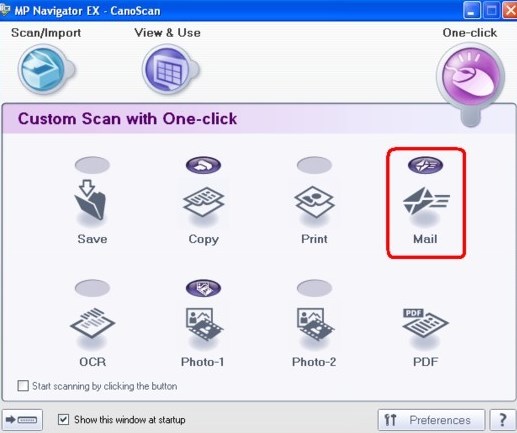
This application software allows you to scan, save and print photos and documents. You can also edit images, or attach pictures to email using this application software.
Important:
MP Navigator EX may not start from the operation panel of the machine. In that case, restart the computer.
MP Navigator EX can scan images of the following data size: 10000 pixels x 10000 pixels or less (depending on the model)
Use the default display font size of the OS. Otherwise, software screens may not appear correctly.
Navigation Mode Screen
You can start various tasks from the Navigation Mode screen, including simple scanning, scanning using ScanGear (scanner driver), and enhancing/correcting images.
MP Navigator EX Ver. 5.1.2 (macOS 10.13/macOS v10.12/OS X v10.11/OS X v10.10/OS X v10.9/Mac OS X v10.8/Mac OS X v10.7)
MP Navigator EX runs on
Windows 10/11
and is available under the
Freeware
license
— the installer is 48.9 MB.
We’ve catalogued it under
System.
Help fellow users decide. Share your experience with MP Navigator EX.